Customers, remembered
See a customer’s purchases and manage their store credit without another spreadsheet.
 Stohb Central
Bring sales, customers, items, expenses, and reports into one clear view. Stohb Central helps you see what is happening across the business, then get on with running it.
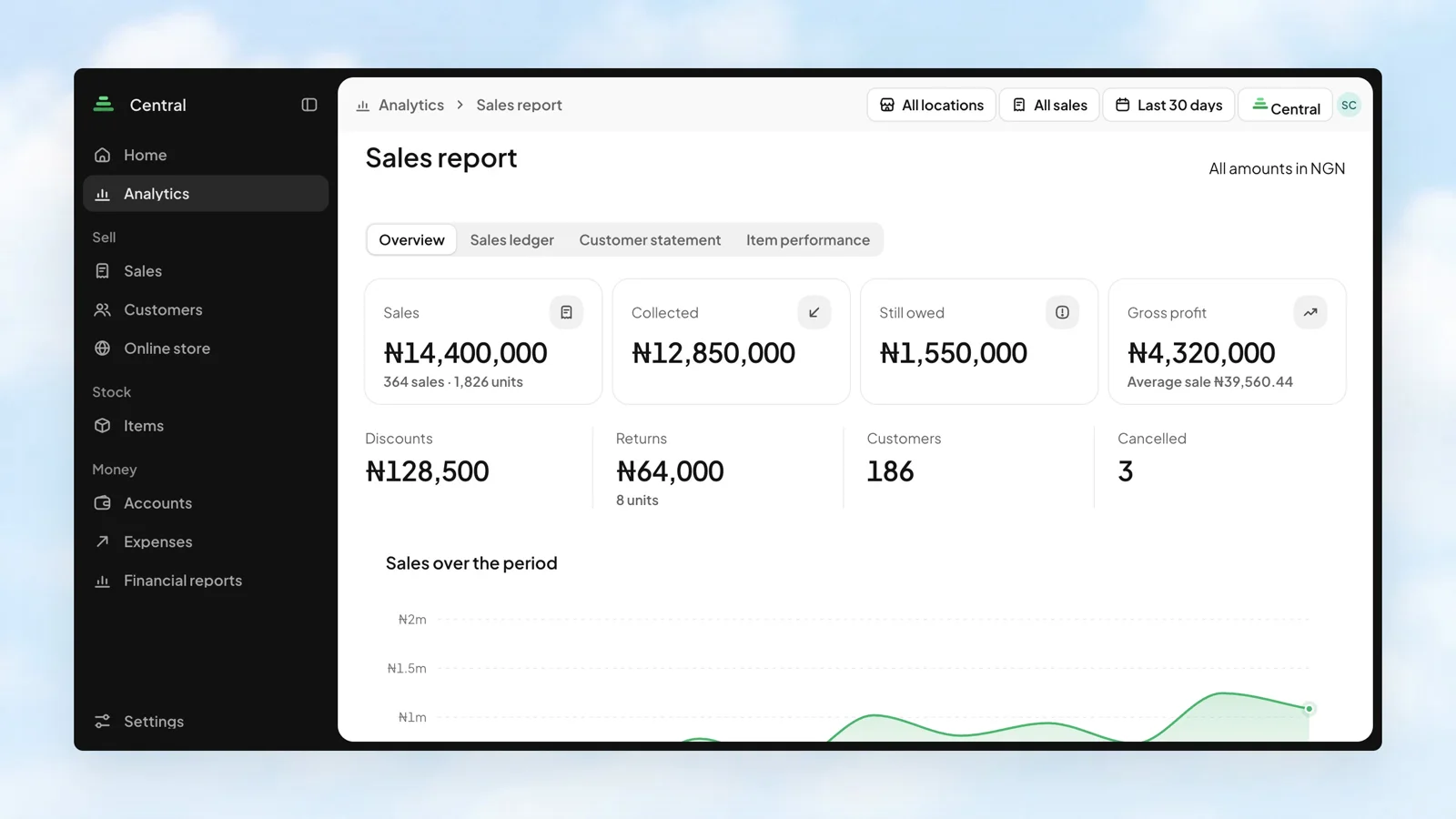
A record across your connected apps.
The same items across your business.
Sales, expenses, and reports together.
Your counter and your website do different jobs. Compare their sales side by side, and see how much is paid, part-paid, or still unpaid. The breakdown belongs to the same reporting period as your totals.
Stohb Central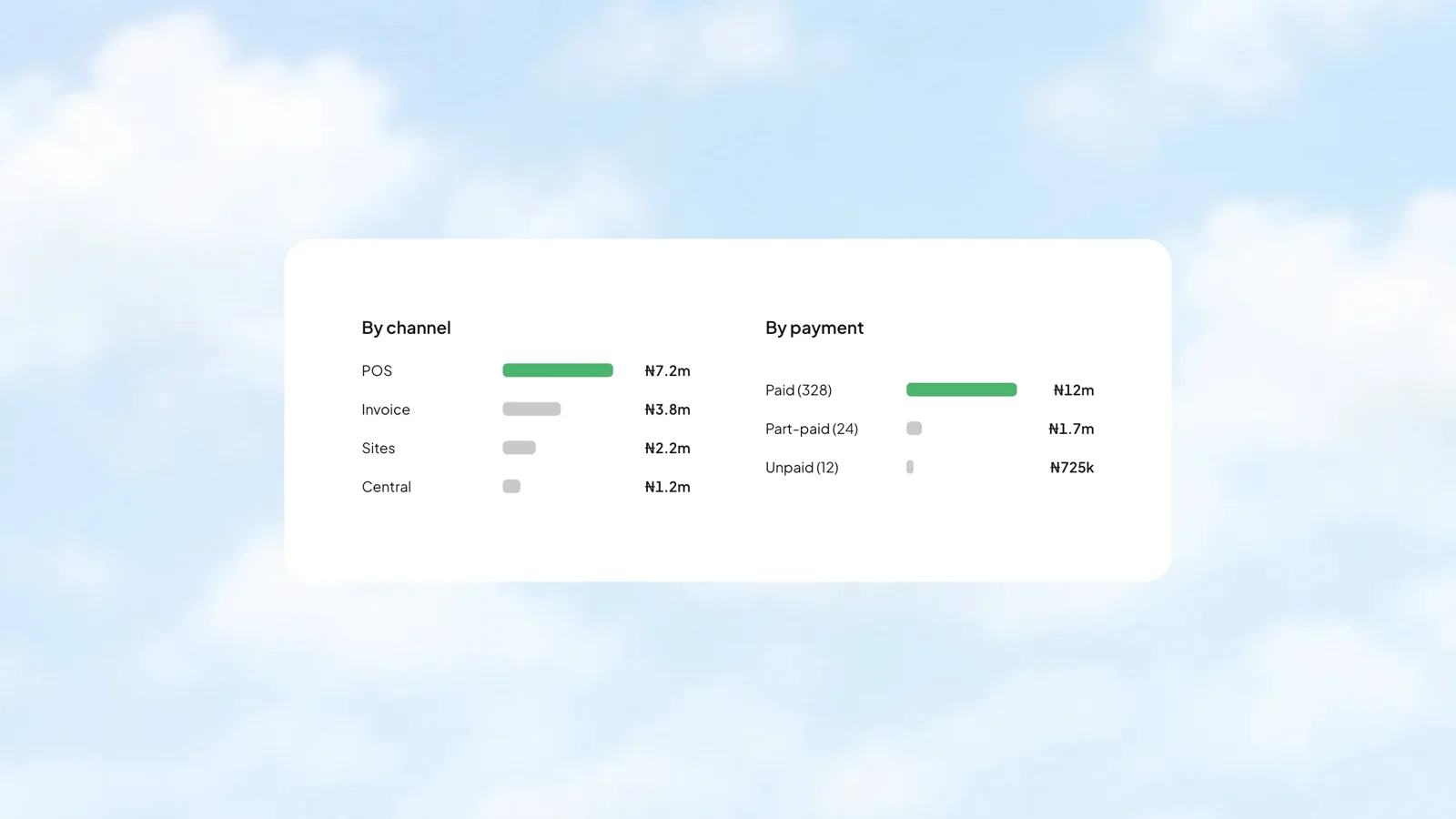
The sales ledger puts references, customers, channels, payment status, and outstanding amounts into one report. Look up the transaction behind a number, then export the period when you need a copy.
Stohb Central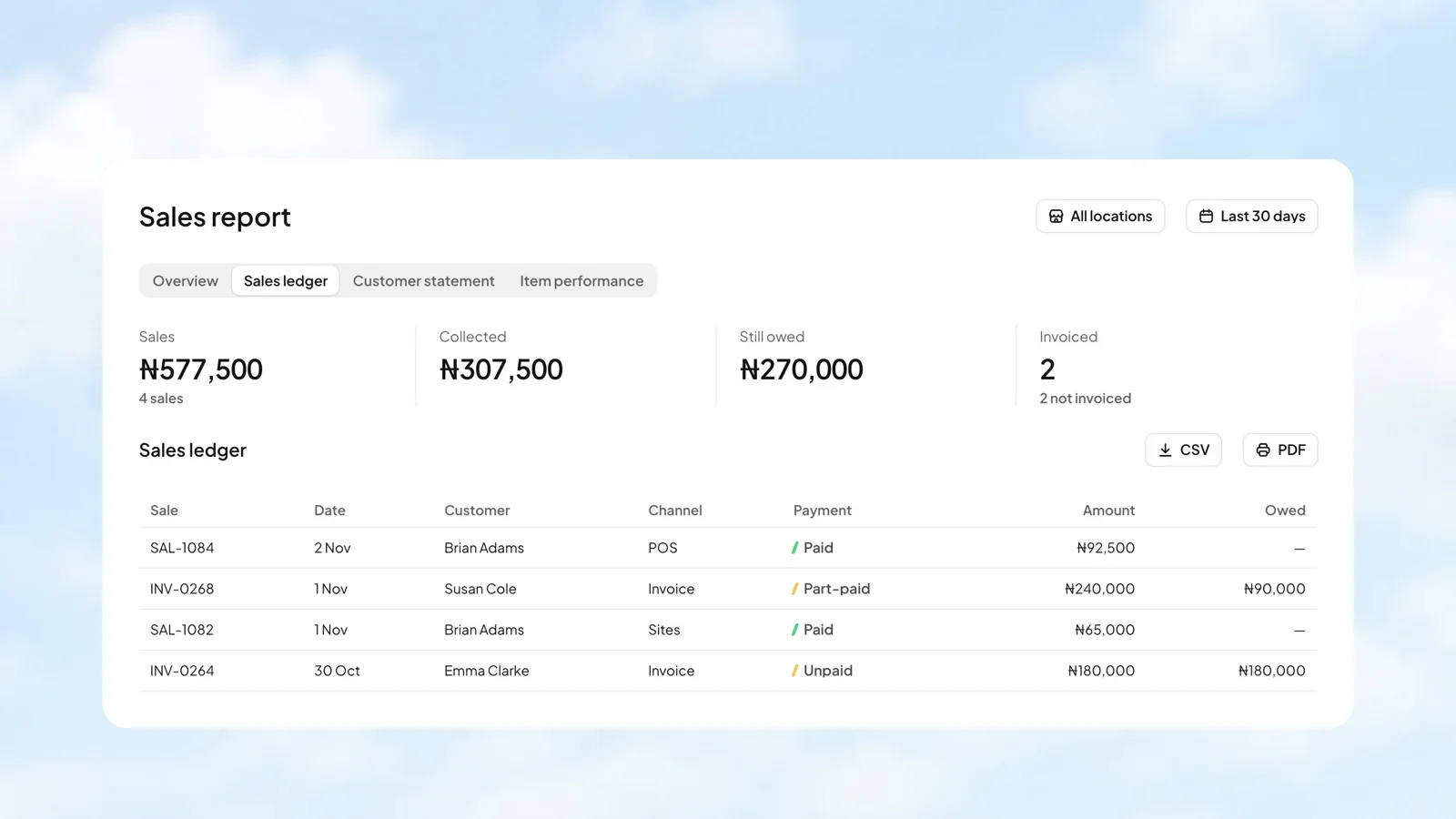
Choose a customer to see their statement. It brings the billed amount, payments, and outstanding balance together, covering every date so an unpaid sale is not hidden by a reporting period.
Stohb Central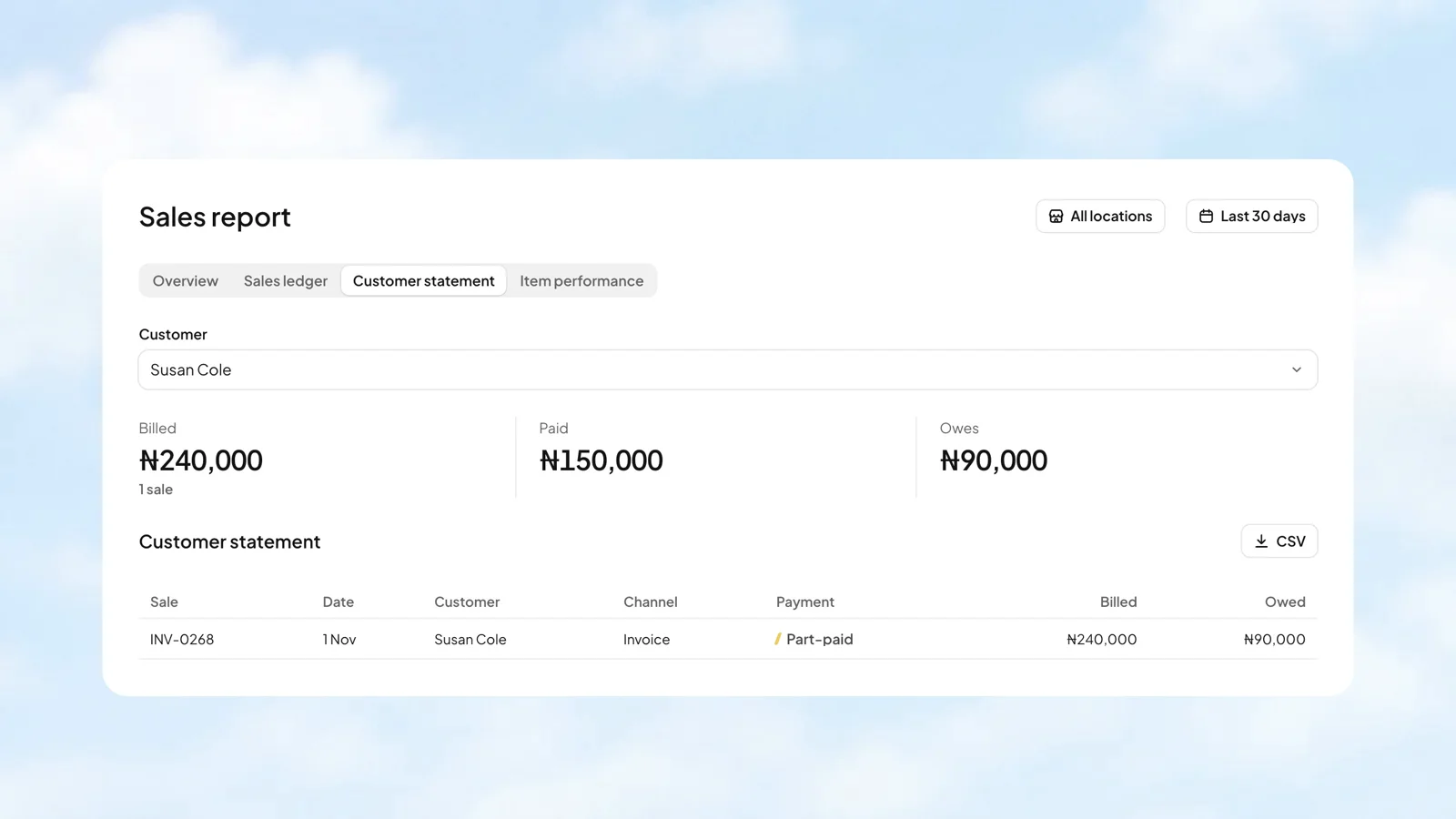
Item performance puts units, sales, cost, and margin beside each item. Filter by category when you want to look closer, and see where a cost has not been recorded.
Stohb Central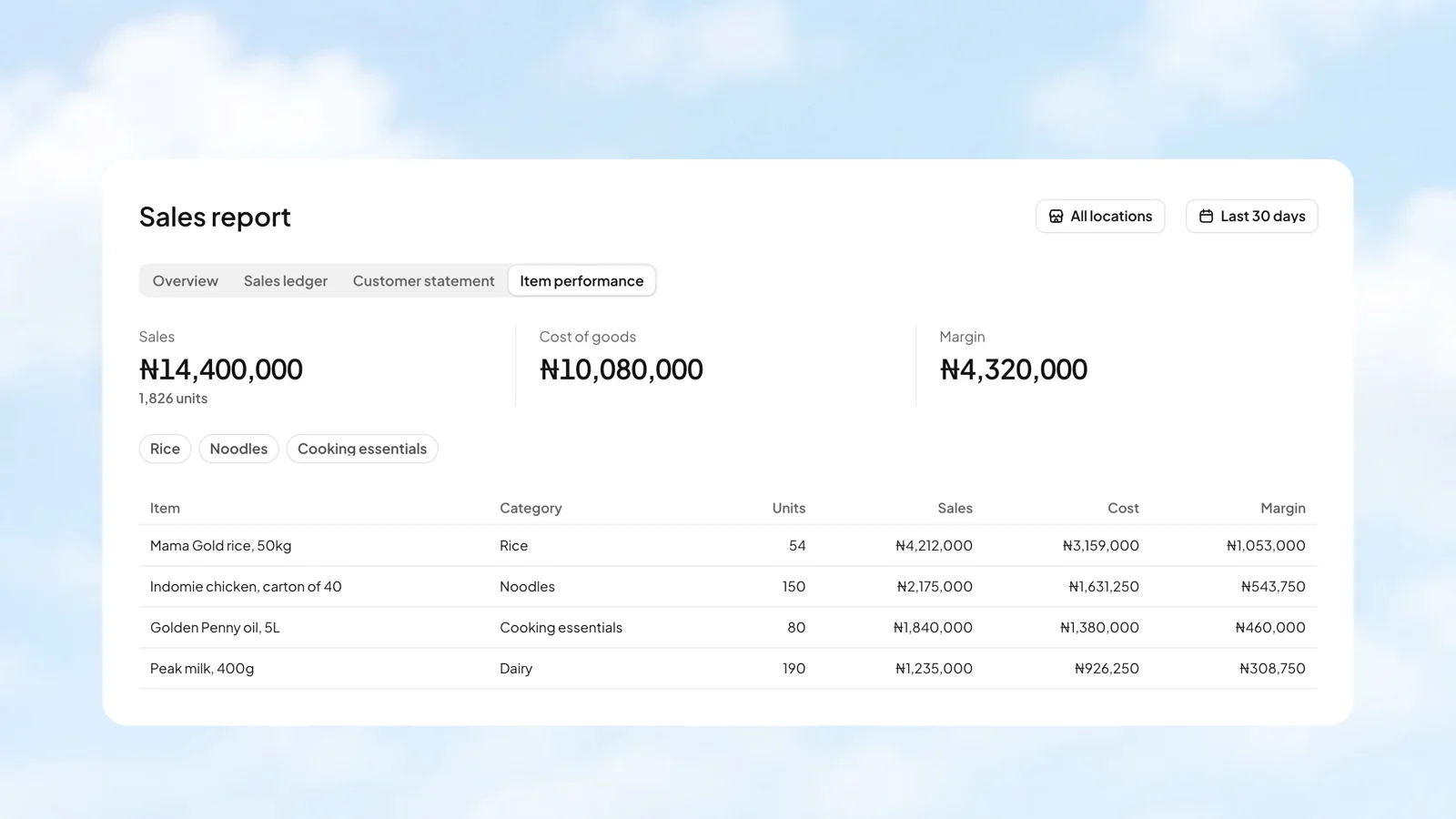
A returned item or an agreed adjustment should have a record. Central keeps store credit with the customer. Add credit or take an amount off, with a note explaining the change.
Stohb Central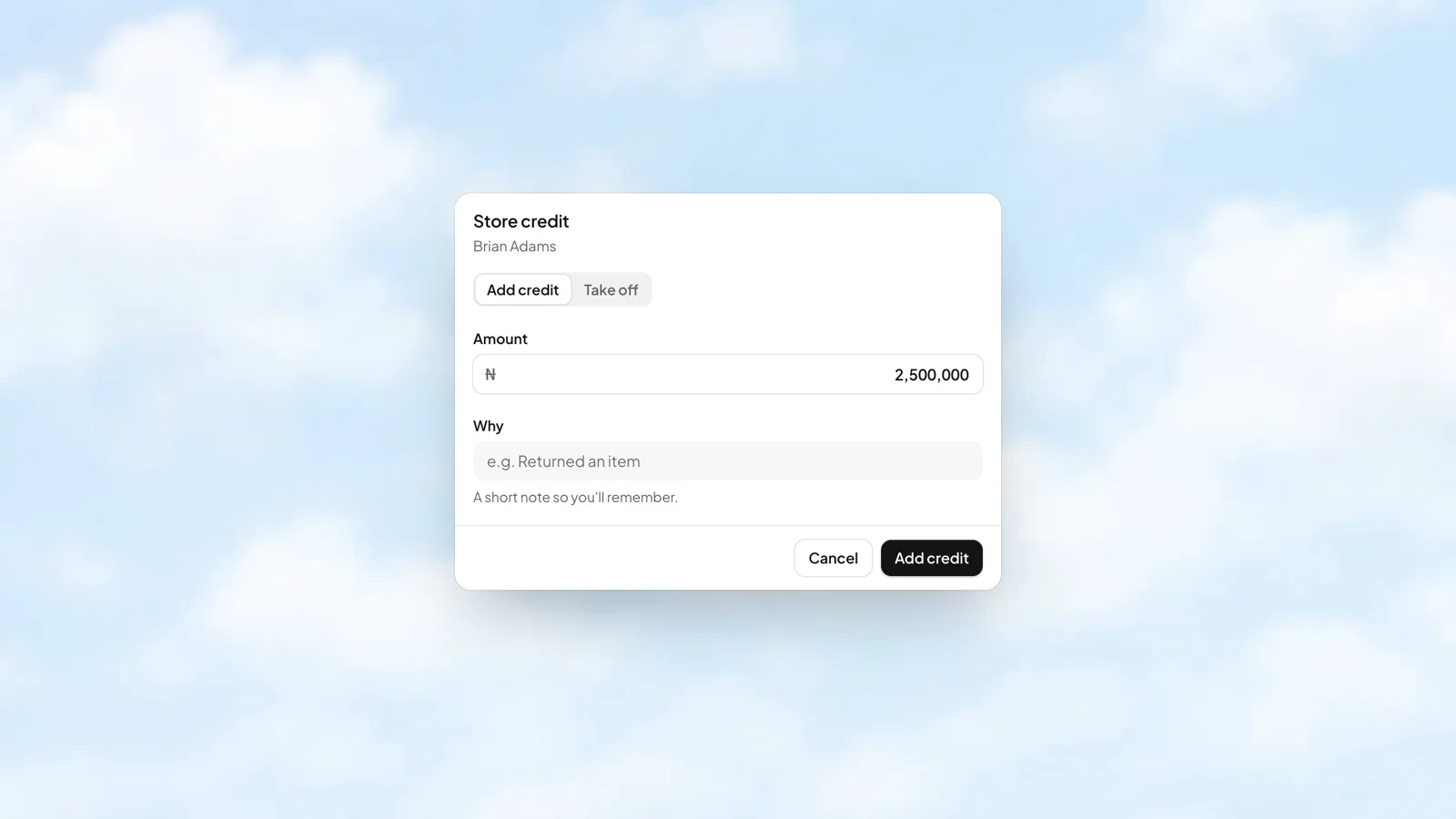
See a customer’s purchases and manage their store credit without another spreadsheet.
Your item list, variants, and bundles support the places you sell. Update the catalogue in one connected system.
Use sales and inventory analytics alongside financial reports to understand the activity behind the numbers.
More about Central, how it works, and where to start.
Talk to our teamCentral is Stohb’s business management app for sales, customers, items, expenses, and reports. It gives owners and managers a central view of their business records.
Stohb apps share the business’s item catalogue and sales records. Sales made through connected apps can be followed in the same business, instead of being kept in separate lists.
Yes. The owner manages members and app access in Workspace. Each person gets the apps and locations they are allowed to use.
Start with the app you need. Make room for what comes next.
Open an account

