A gentler follow-up
Schedule the reminder once. It can repeat at your chosen interval and stops when the invoice is paid.
 Stohb Invoice
Create professional invoices, send them by email, and keep track of what is still owed. Let reminders handle the follow-up, so the next conversation can be about the work.
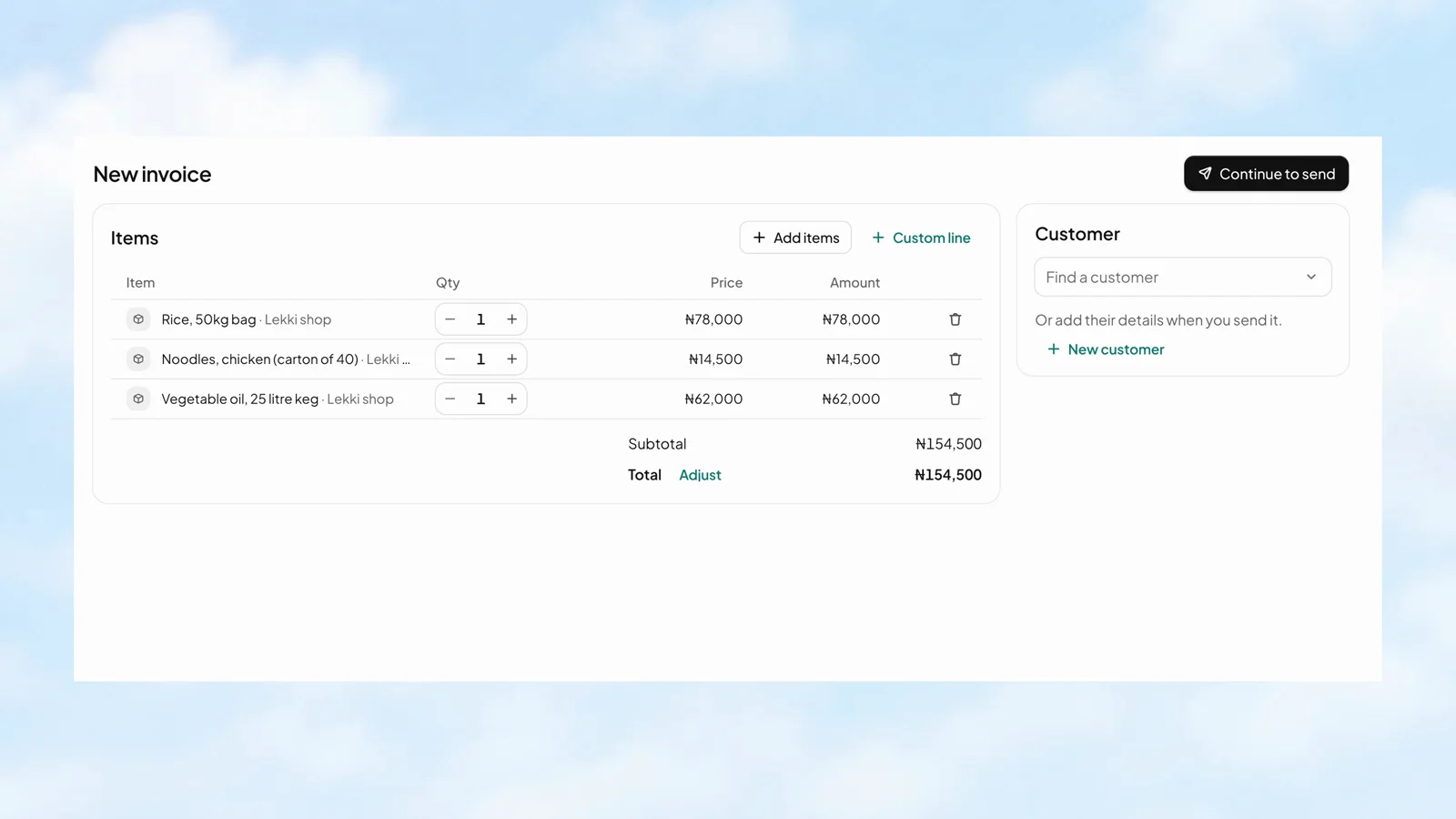
A free plan with clear limits.
Before, on, or after the due date.
Let customers pay bit by bit.
A sent invoice should not disappear into a spreadsheet. Set the reminders around its due date, keep track of what is still owed, and let the follow-up stop when payment is complete.
Stohb Invoice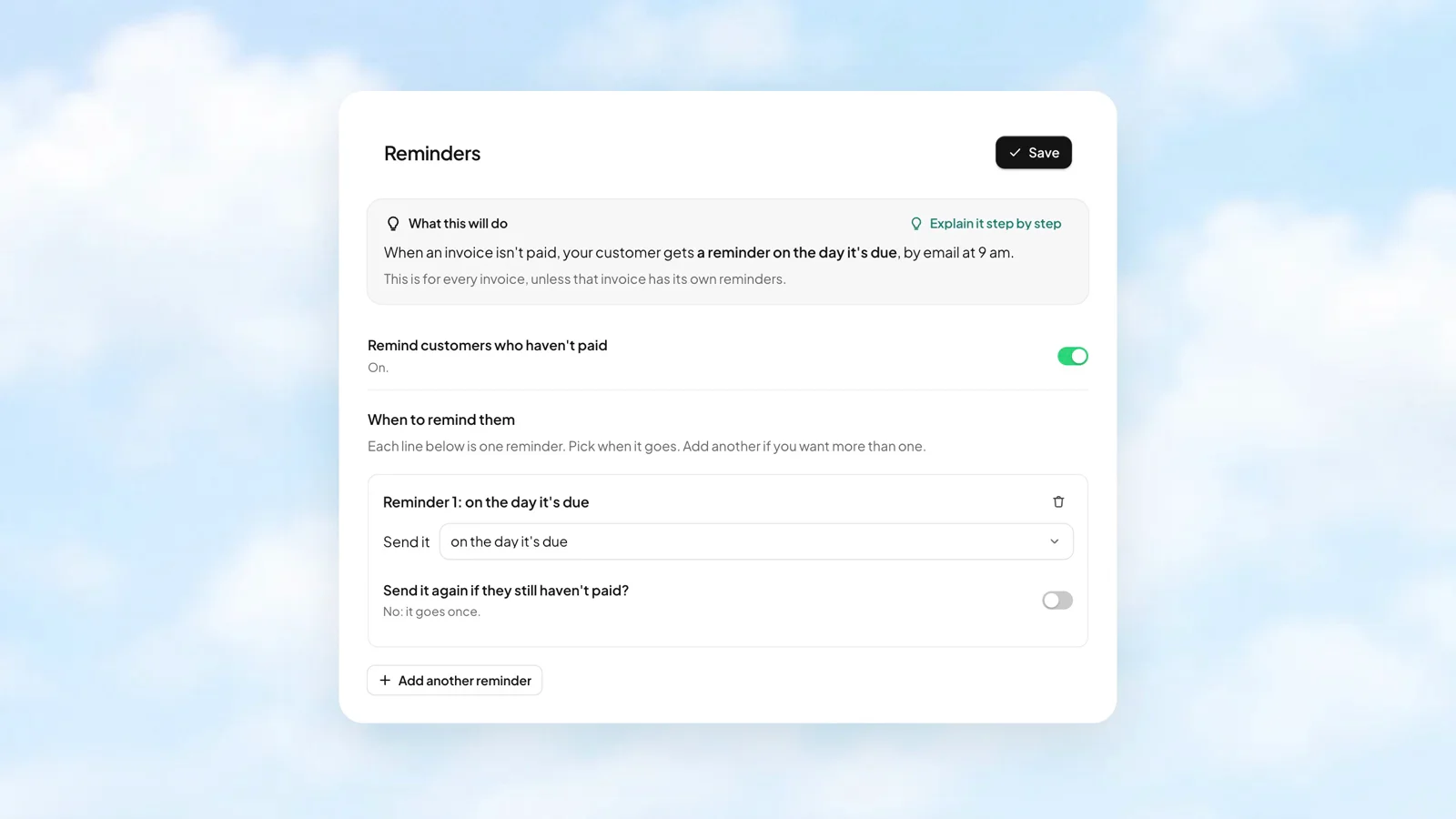
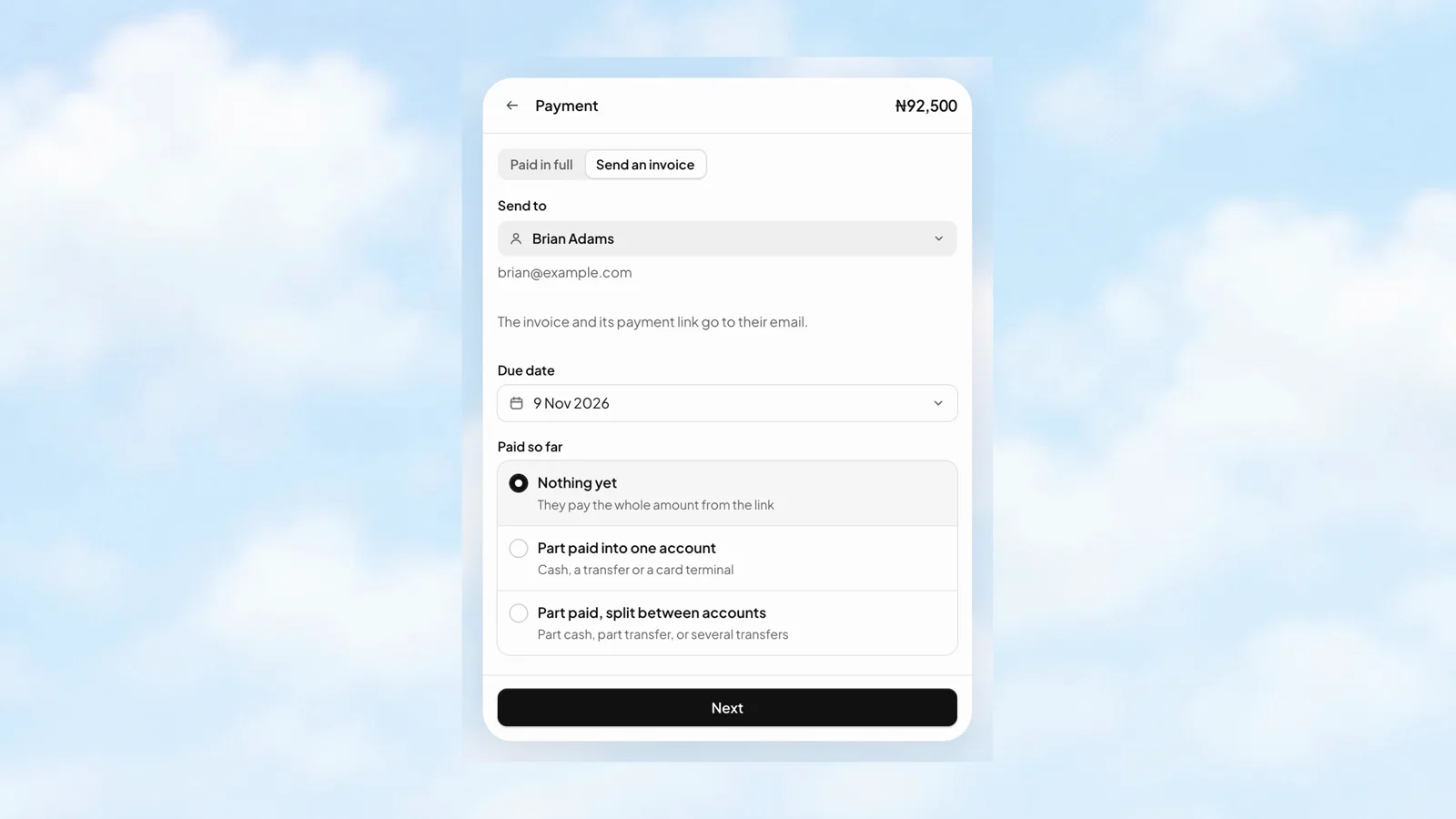
Keep the sale moving when the customer is paying later. Choose Send invoice, add the customer, set the due date, and record anything already paid. The remaining balance stays clear.
 Stohb POS
Choose a customer to see their statement. It brings the billed amount, payments, and outstanding balance together, covering every date so an unpaid sale is not hidden by a reporting period.
 Stohb Central
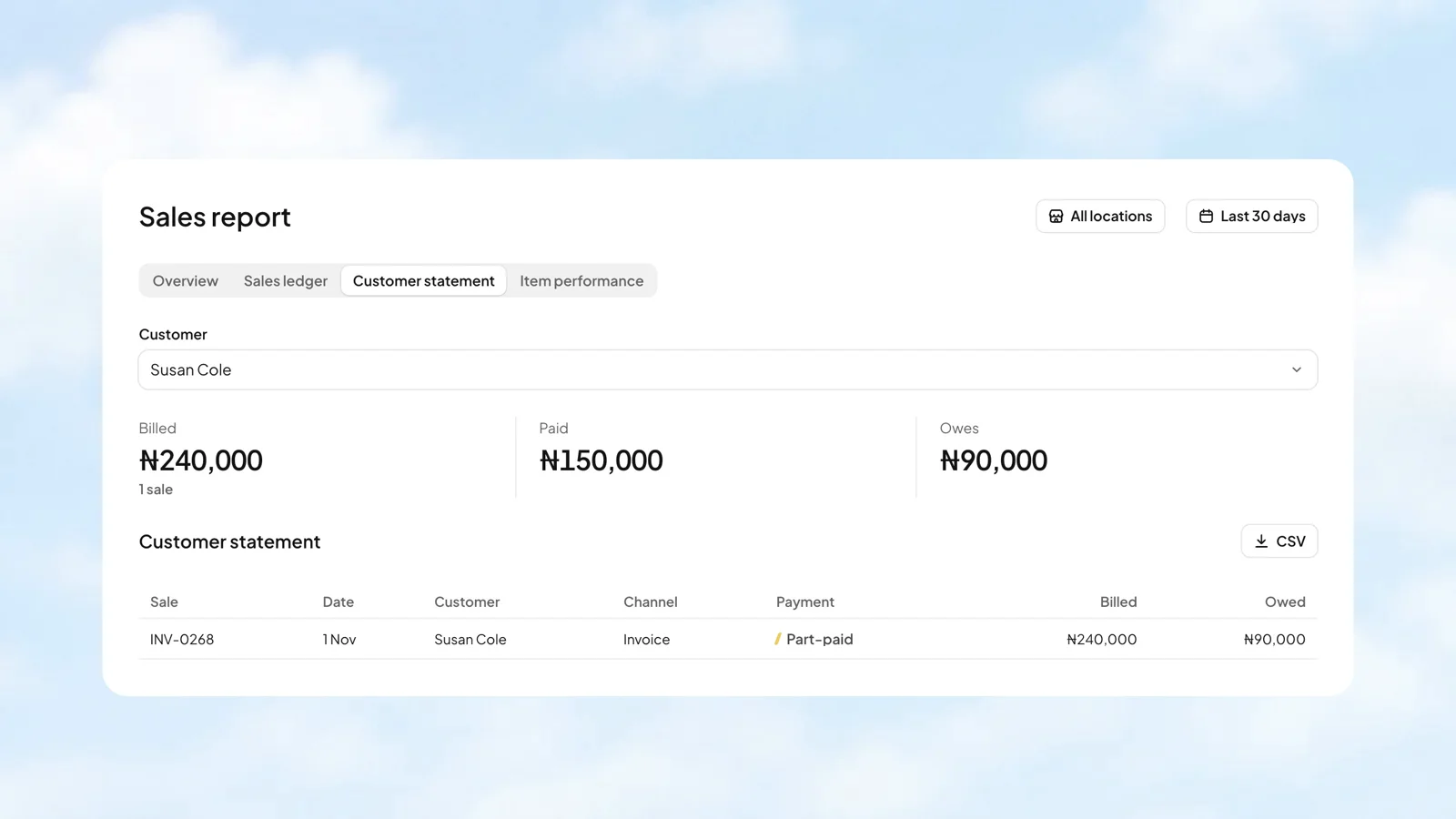
Sales tell one part of the story. Money collected, balances still owed, and gross profit tell the rest. Bring them together in the Sales report, then look at the channels and customers behind the numbers.
Stohb Central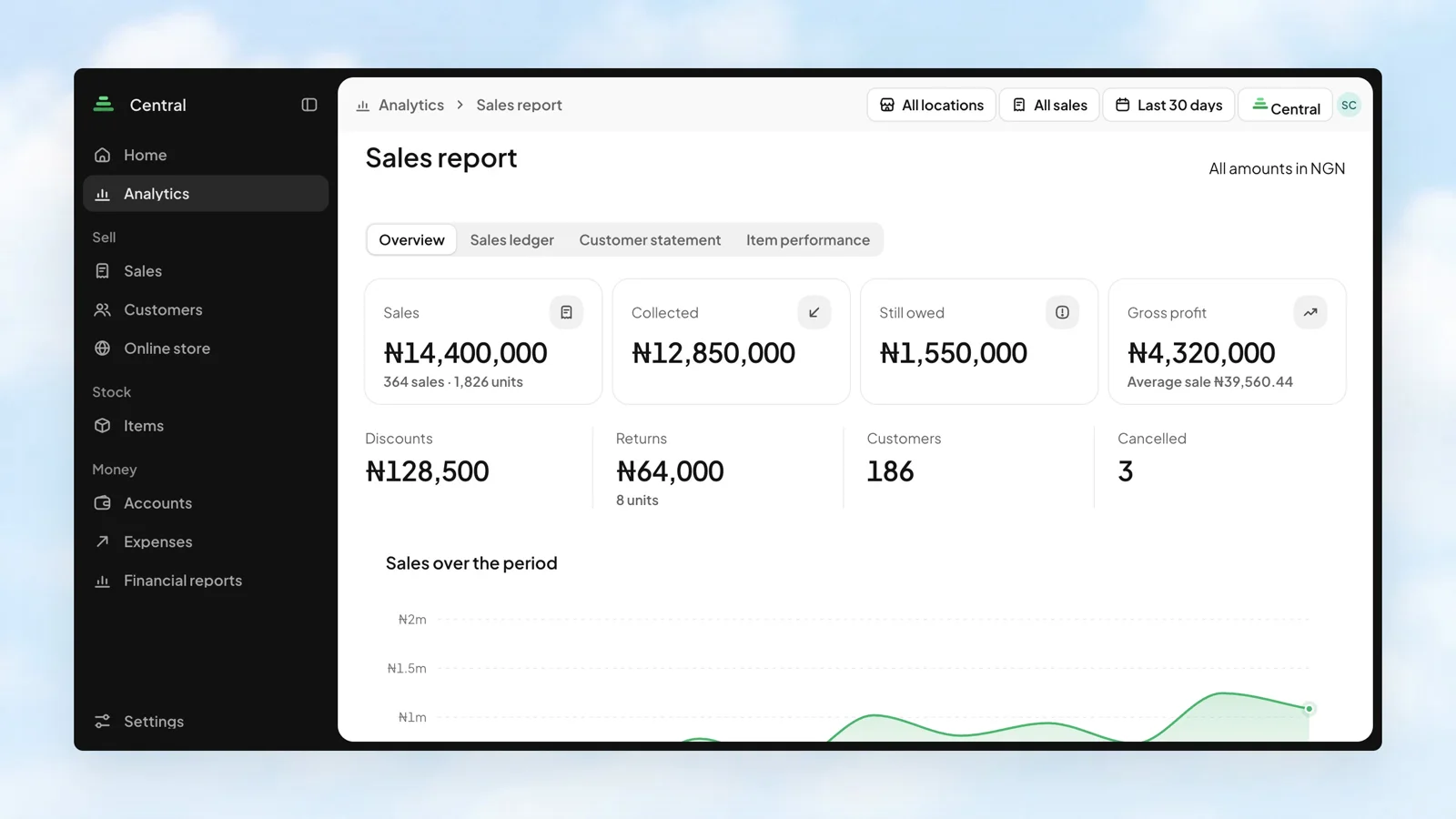
Schedule the reminder once. It can repeat at your chosen interval and stops when the invoice is paid.
On the paid plan, create recurring schedules by day, week, month, or year. Pause, resume, or end a schedule when the work changes.
Give customers the option to pay bit by bit while you keep a clear view of what has been paid and what is left.
More about Invoice, how it works, and where to start.
Talk to our teamYou can start with free Invoice. It includes up to 10 items, 20 customers, and 3 payment terms, with owner-only access. Recurring invoices and team access are available on the paid plan.
Invoices and reminders are sent by email. You can schedule reminders around the due date, after sending, or after a part payment. Reminders stop once the invoice is paid.
No. Recurring invoices create and send invoices on a schedule; they do not automatically debit a customer’s bank account or charge their card.
Yes. On the paid plan, recurring schedules can be paused, resumed, or ended. Choose an end date, a number of invoices, or no fixed end.
Start with the app you need. Make room for what comes next.
Open an account