 Stohb for online sellers
Turn “where can I buy?” into an order.
Give your Instagram or WhatsApp business a store link. Let customers see what is available, buy from a photo, and pay on your page.
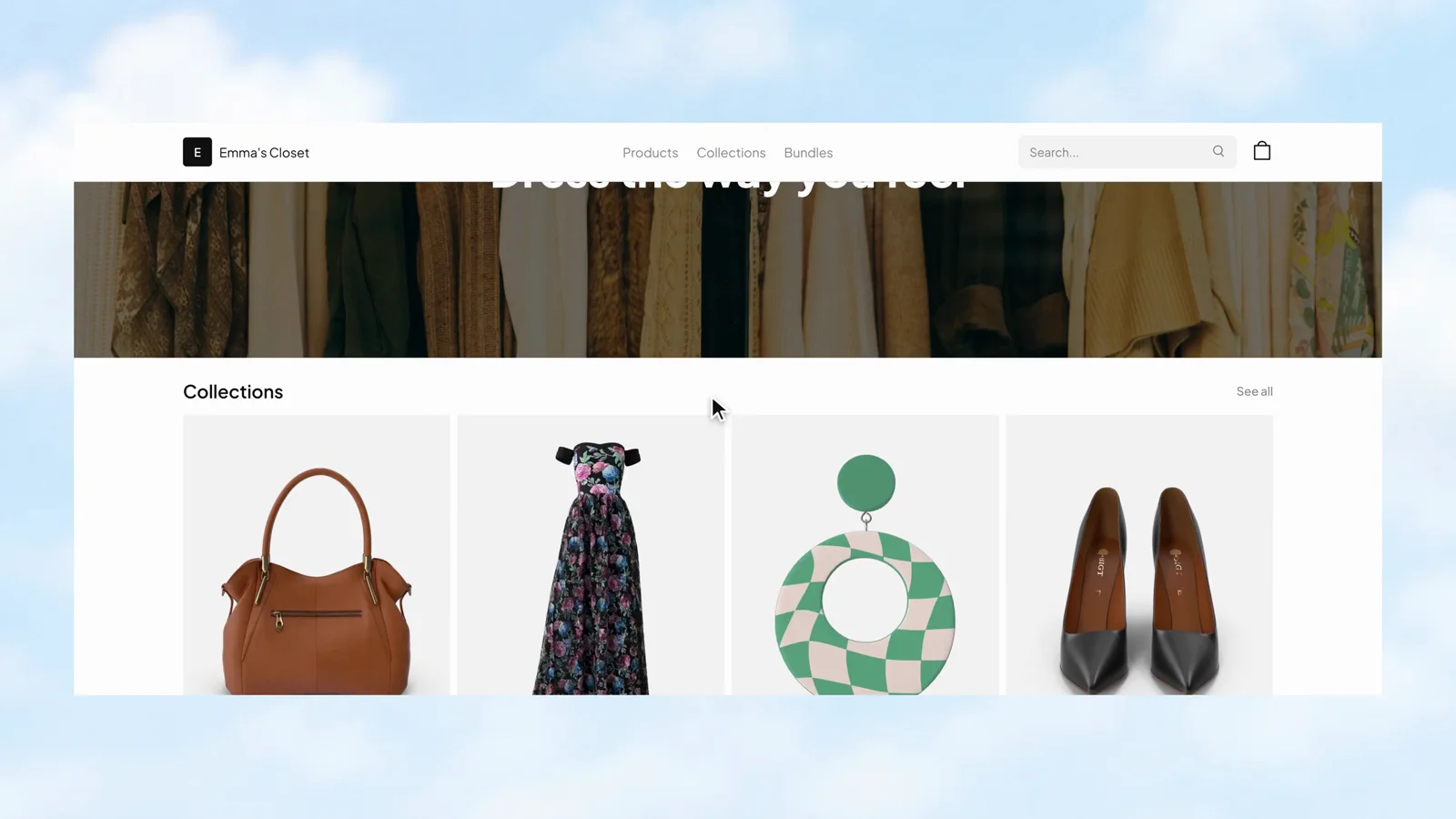
Give people a place to shop
Your next customer should not need to wait for a DM reply. Build a shop with Sites, connect it to your catalogue, and make it easier for people to get from a product photo to checkout.
Give the page the shape of your business.
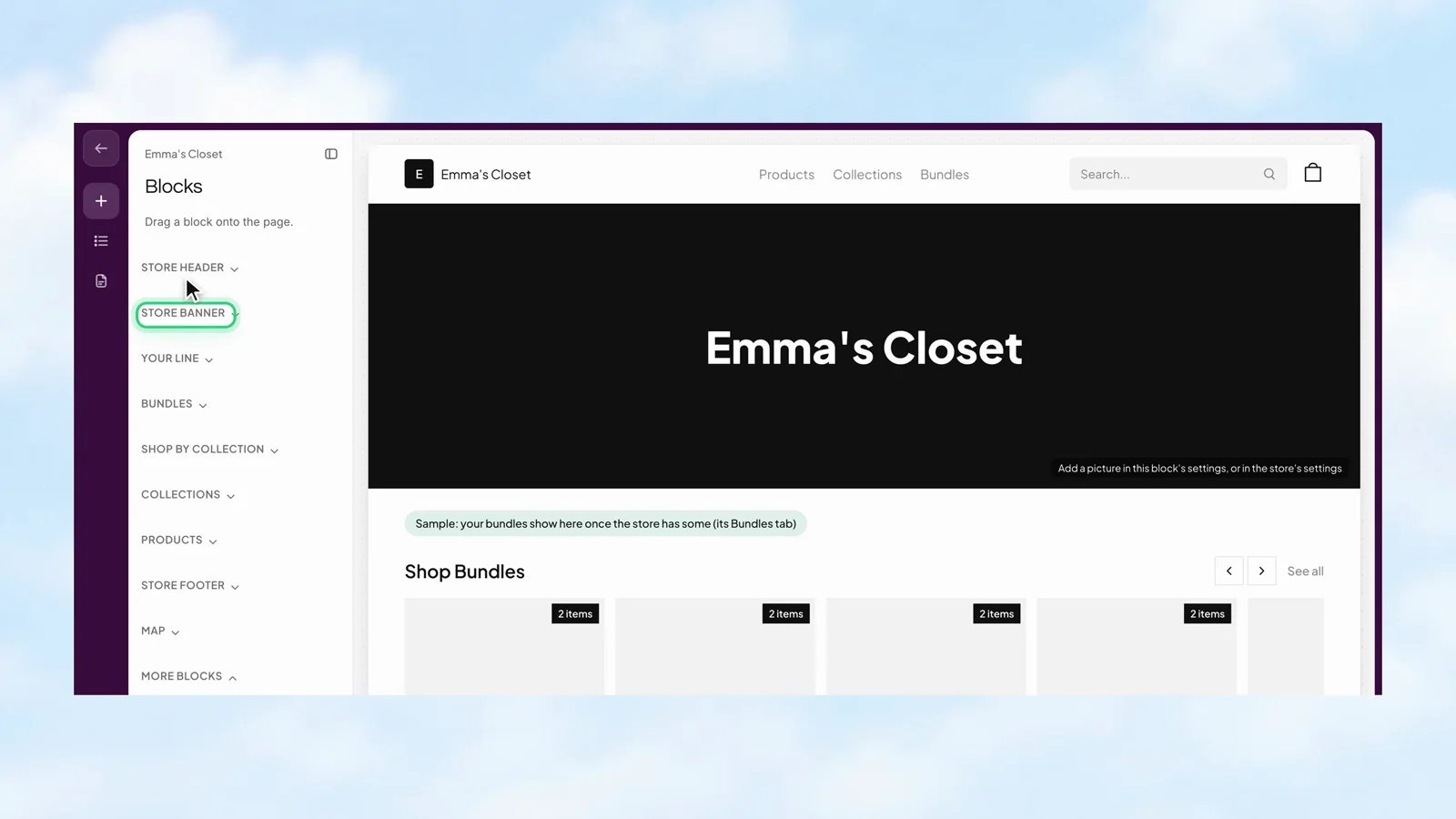
Open the canvas to arrange the storefront. Choose blocks for the header, banner, and collections, then check the page in phone or computer view while you build.
- Choose blocks for the parts of the page.
- Preview the storefront at different screen sizes.
- Publish when the page is ready to share.
 Stohb Sites
A collection people can actually browse.
Choose which products appear on the store, organise them into collections, and keep the catalogue useful as the range changes. Customers get a clearer way to find the things they came for.
- Add products from the business catalogue.
- Choose which items are showing on the store.
- Group related products into collections.
Stohb Sites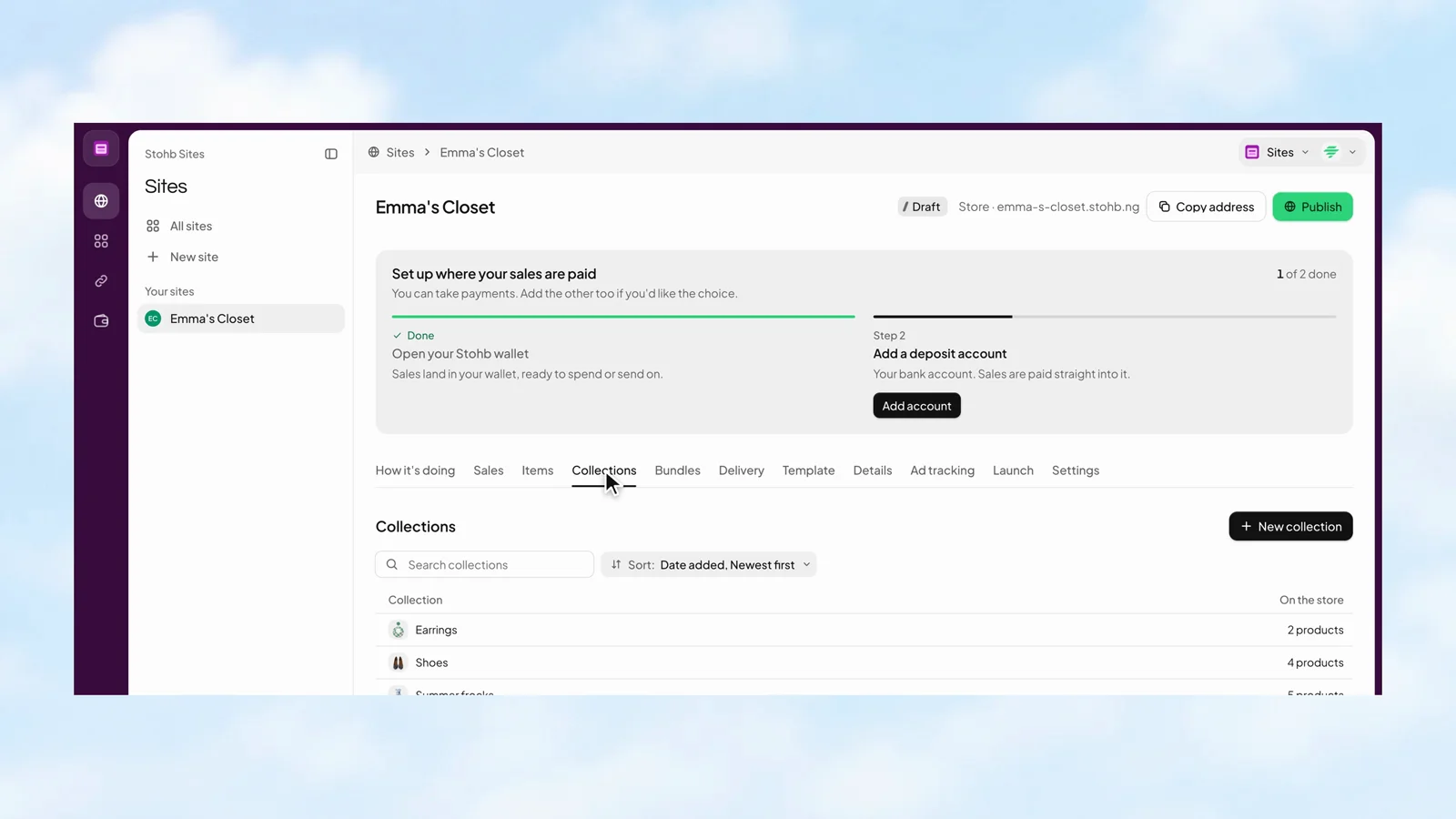
See the stockroom before you walk into it.
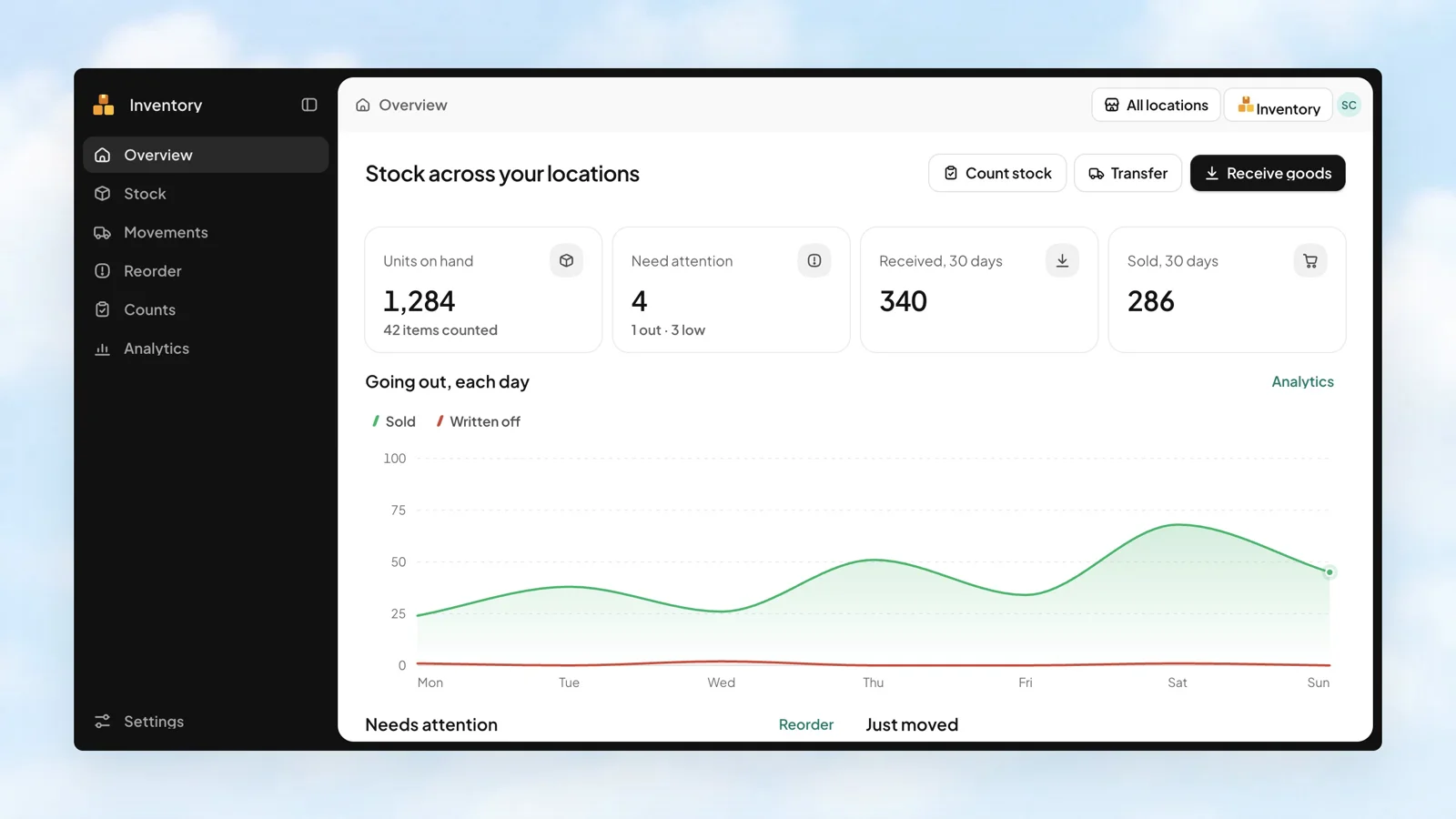
An overview puts units on hand, items needing attention, goods received, and units sold in one place. See the recent movements, then go straight to the work that needs doing.
- Spot low and out-of-stock items.
- Review what is going out each day.
- Check the latest movements and their locations.
 Stohb Inventory
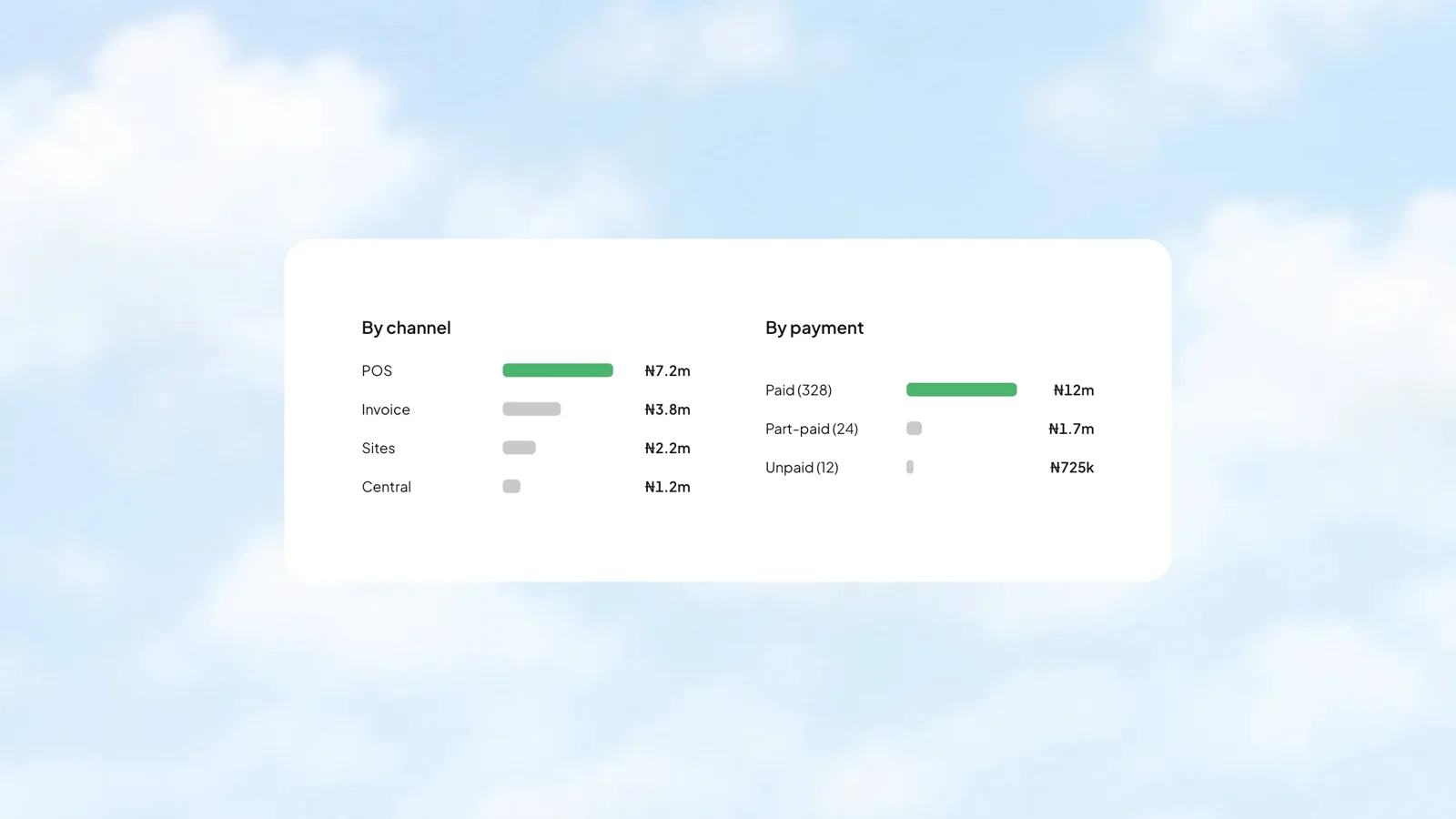
Find the channels doing the work.
Your counter and your website do different jobs. Compare their sales side by side, and see how much is paid, part-paid, or still unpaid. The breakdown belongs to the same reporting period as your totals.
- See sales by channel and payment status.
- Keep best-selling items and top customers in the picture.
- Use the ledger when you need the detail behind a total.
 Stohb Central
Make your catalogue feel at home online.
A good shop gives people a clear way to browse. Bring the products together in collections, keep their details useful, and let the storefront carry the look of your business.
- Use your catalogue to organise the products you sell.
- Give customers a shopping bag and checkout.
- Keep the store connected to the business behind it.
Stohb SitesThe connected tools
behind the work.
Can I use my own domain?
Yes. Sites supports a business domain, and you can purchase a domain inside the app.
How do customers buy from my photos?
Create a Spotlight and tag items in the image. Shoppers can open those items and buy from the photo.
Where do payments go?
Choose the payment destination once in Sites settings: a wallet or bank deposit, according to the options available to your business.
Less busywork.
More business.
Start with the app you need. Make room for what comes next.
Open an account