Every app, considered
Choose access for each app individually. A team member’s role in one app does not have to open every other app.
 Stohb Workspace
Add your team, choose who can open each app, and manage plans in one place. Workspace keeps the business settings together, with the owner in control.
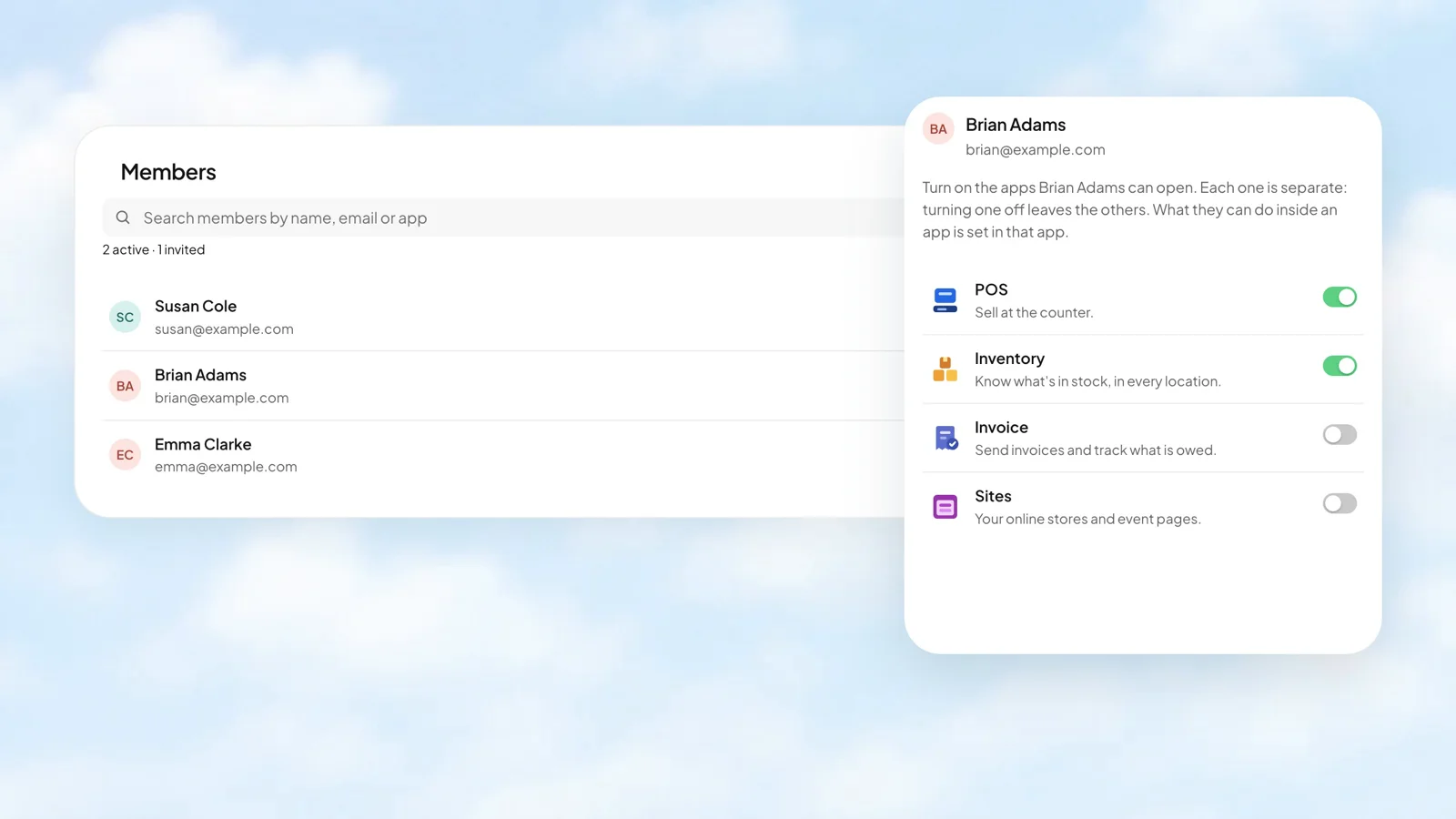
Bring the team into your business.
Choose apps for each person.
Manage app subscriptions together.
As a member takes on a different role, change the apps they can open without replacing their account. Keep ownership decisions separate from the everyday app switches.
Stohb Workspace
Use your Stohb email address to continue to sign-in. Your identity stays with you as you move between the business tools you have access to, so adding another app does not mean starting over.
 Stohb Accounts

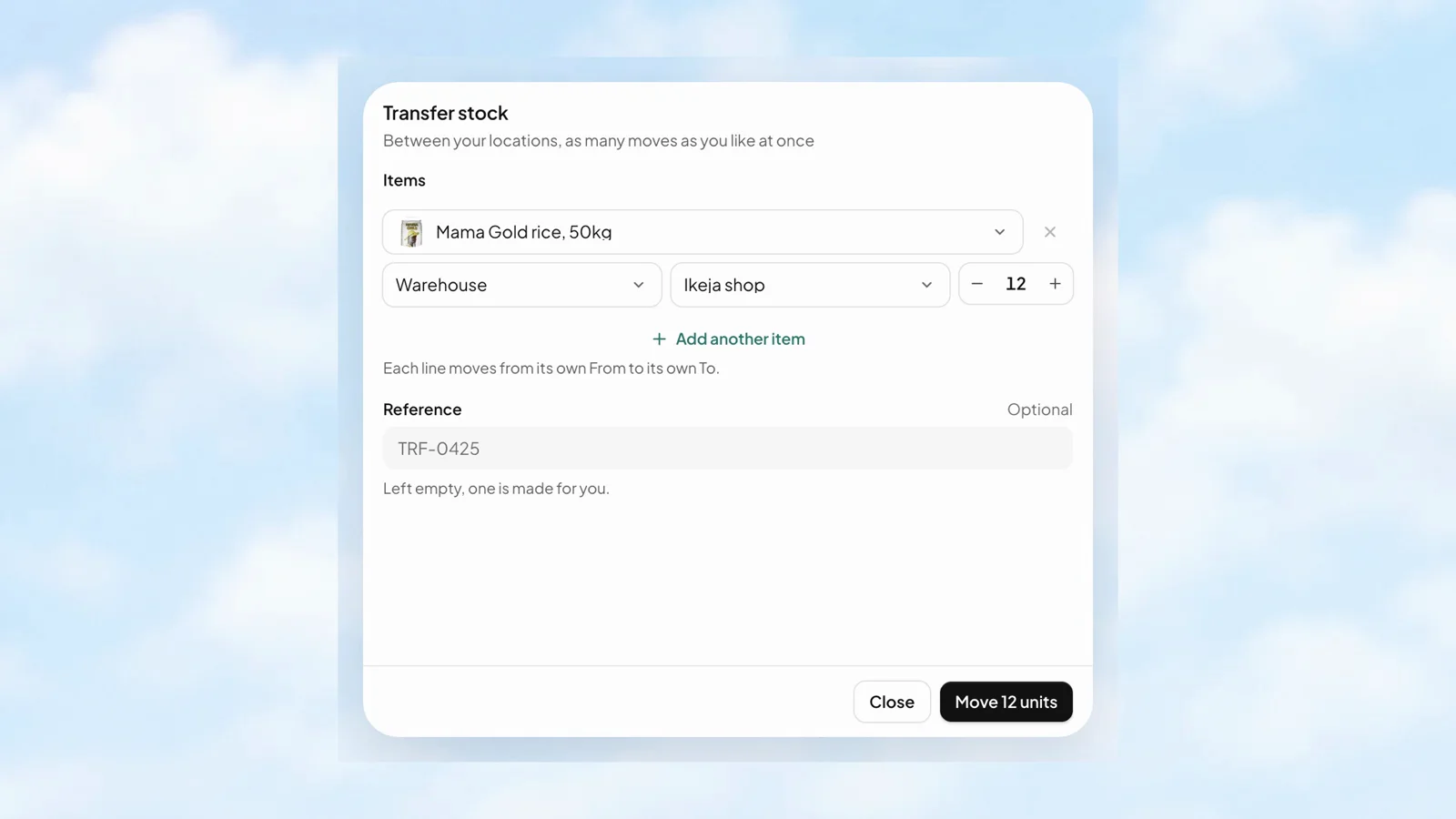
Each transfer line has its own From, To, and quantity. Send goods from the warehouse to a shop, or move them between branches, while keeping the movement in the business records.
 Stohb Inventory
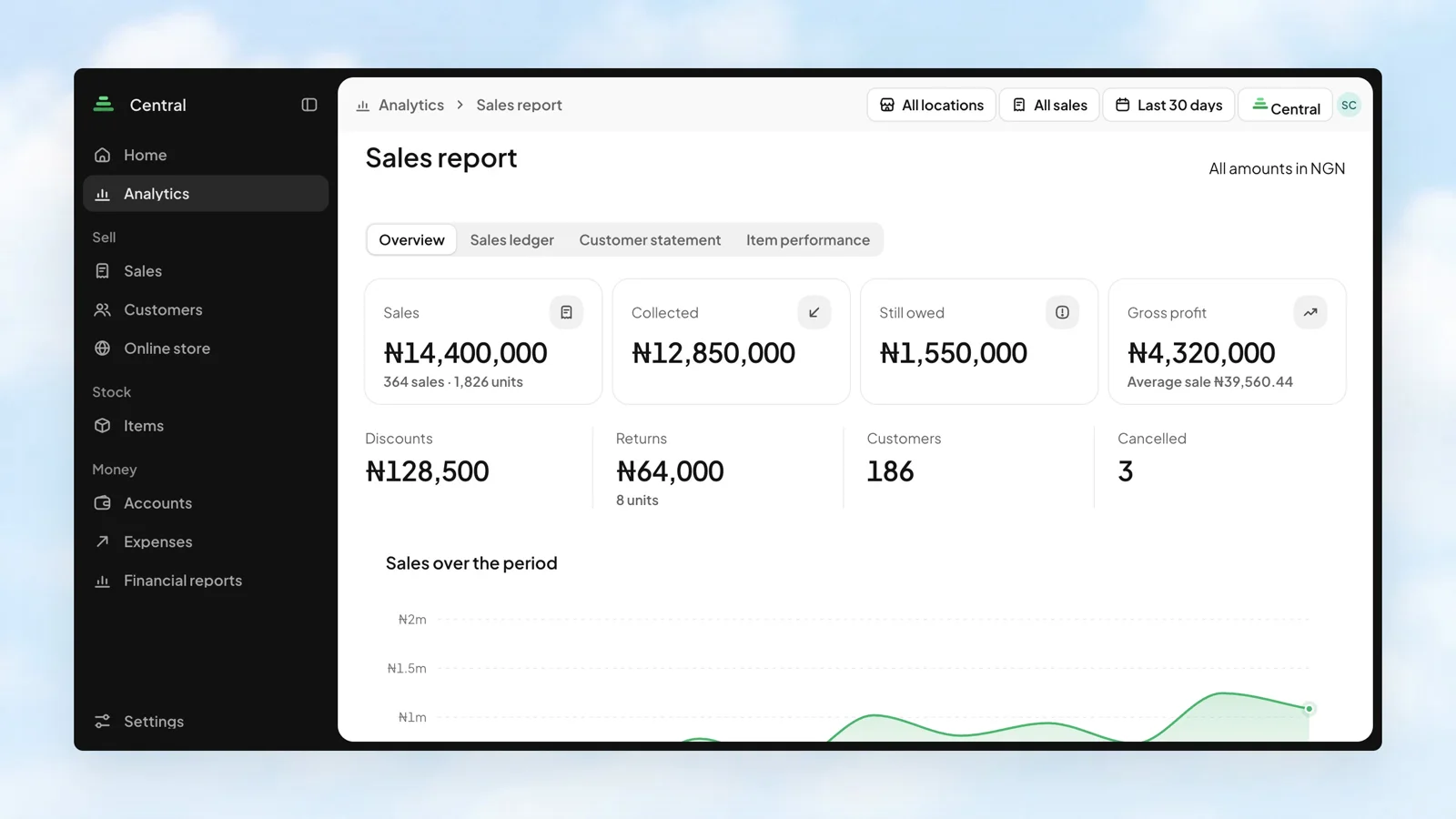
Sales tell one part of the story. Money collected, balances still owed, and gross profit tell the rest. Bring them together in the Sales report, then look at the channels and customers behind the numbers.
 Stohb Central
Choose access for each app individually. A team member’s role in one app does not have to open every other app.
Manage subscriptions in the business’s Workspace, so the app plan is not another thing to track in a separate place.
The account belongs to a person. The Workspace brings together the business, its people, and the tools they use.
More about Workspace, how it works, and where to start.
Talk to our teamWorkspace is the business administration app for members, app access, and subscriptions. Owners use it to choose who can open which Stohb apps.
Yes. App access is controlled individually for each member, so you can give someone the tools they need for their work.
App subscriptions are managed in Workspace. Different apps may have different plans; check the current details before choosing a plan.
Start with the app you need. Make room for what comes next.
Open an account