 Stohb for retail & shops
A busy shop. A clearer head.
From the first sale of the morning to the last stock check, keep your counter, catalogue, and business records working together.
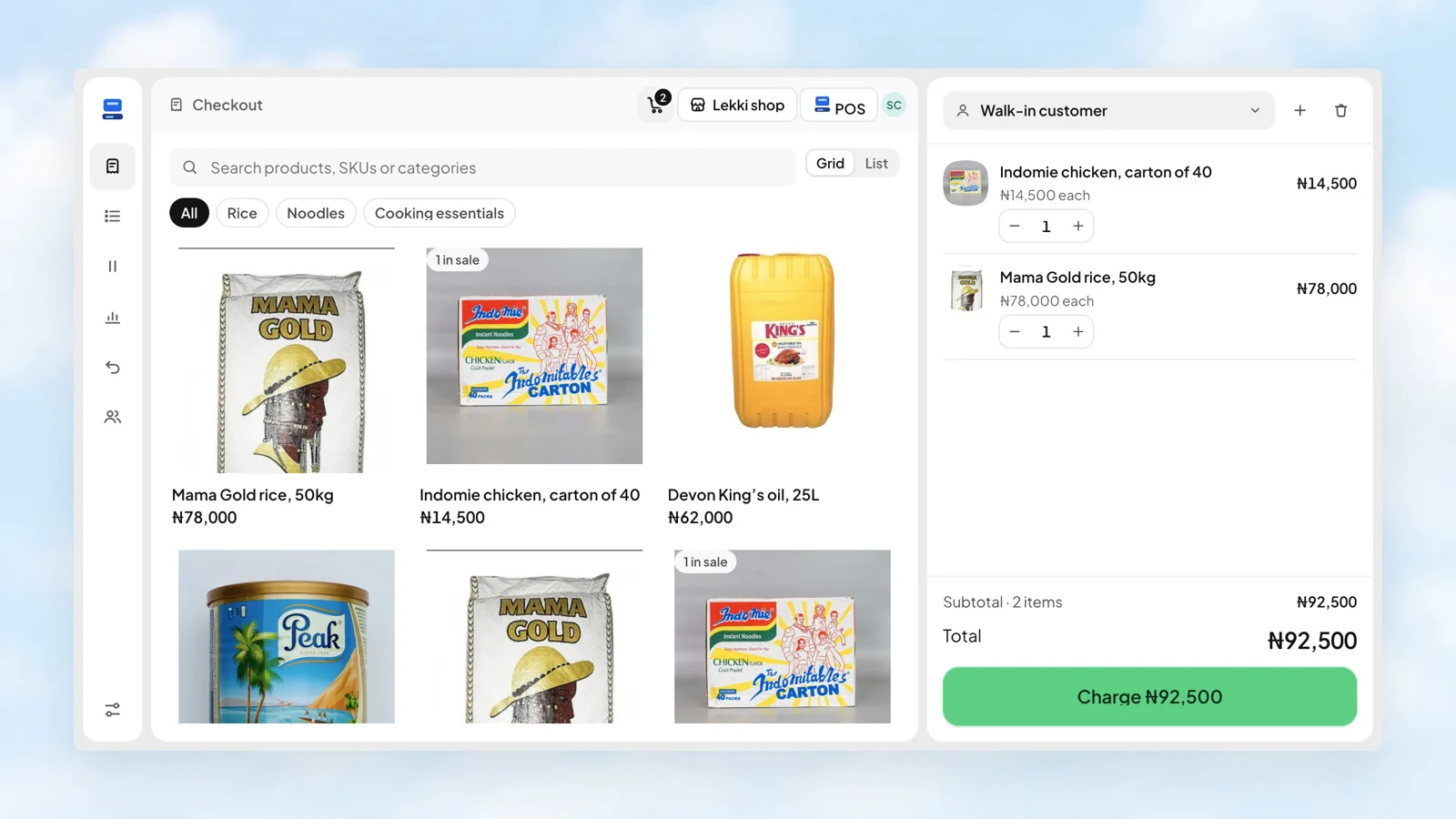
Make the next sale simple
When customers are coming in, the details still matter. Stohb gives your team a focused checkout, keeps stock organised by location, and gives you a place to see the day’s business.
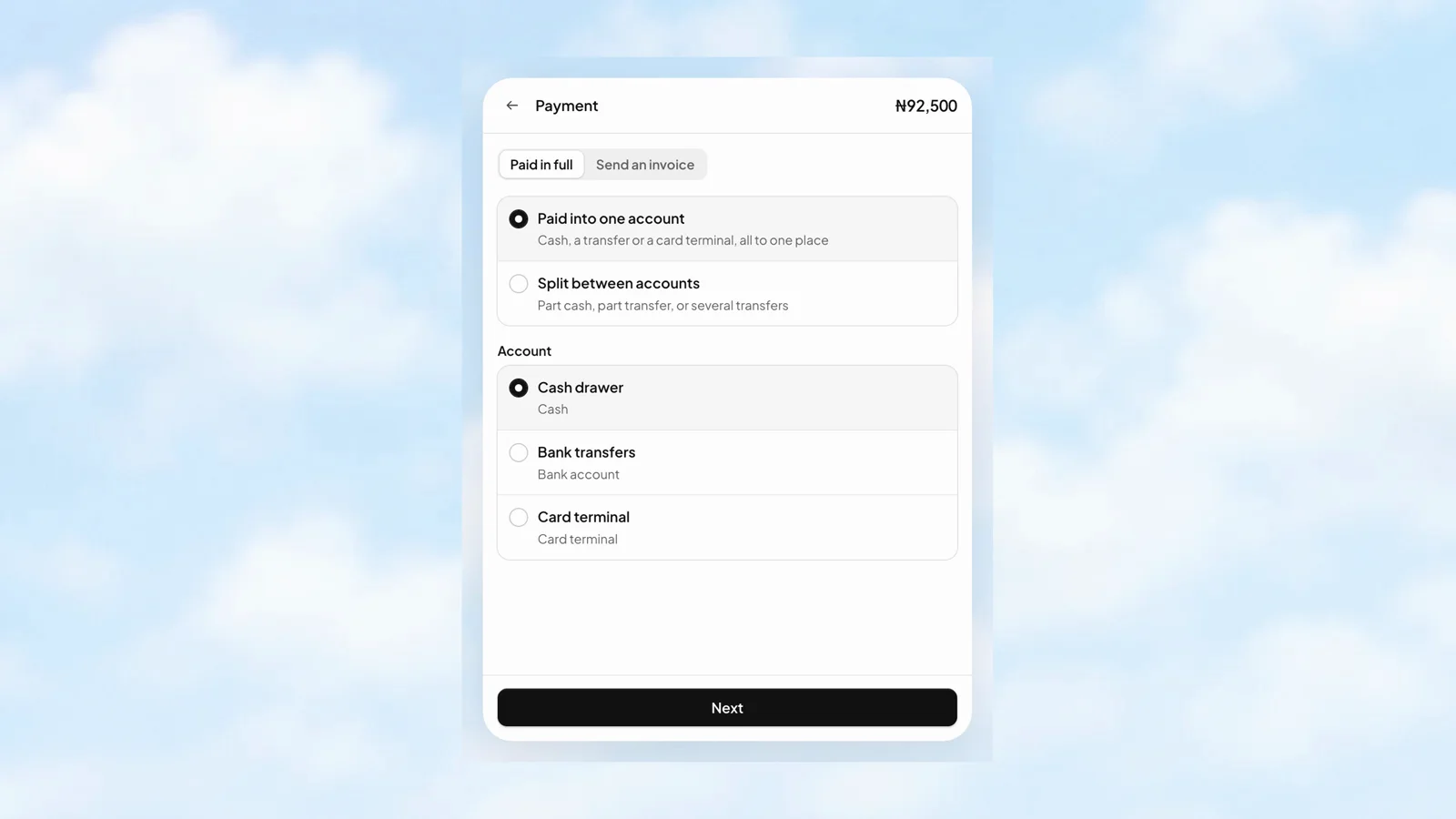
One sale. More than one way to settle it.
A customer can pay into one account, or split a payment between accounts. Record where each amount went so the sale has a useful payment record, not just a paid label.
- Choose the cash drawer, bank account, or card account.
- Split the total across the accounts that received it.
- Review the amounts before completing the sale.
 Stohb POS
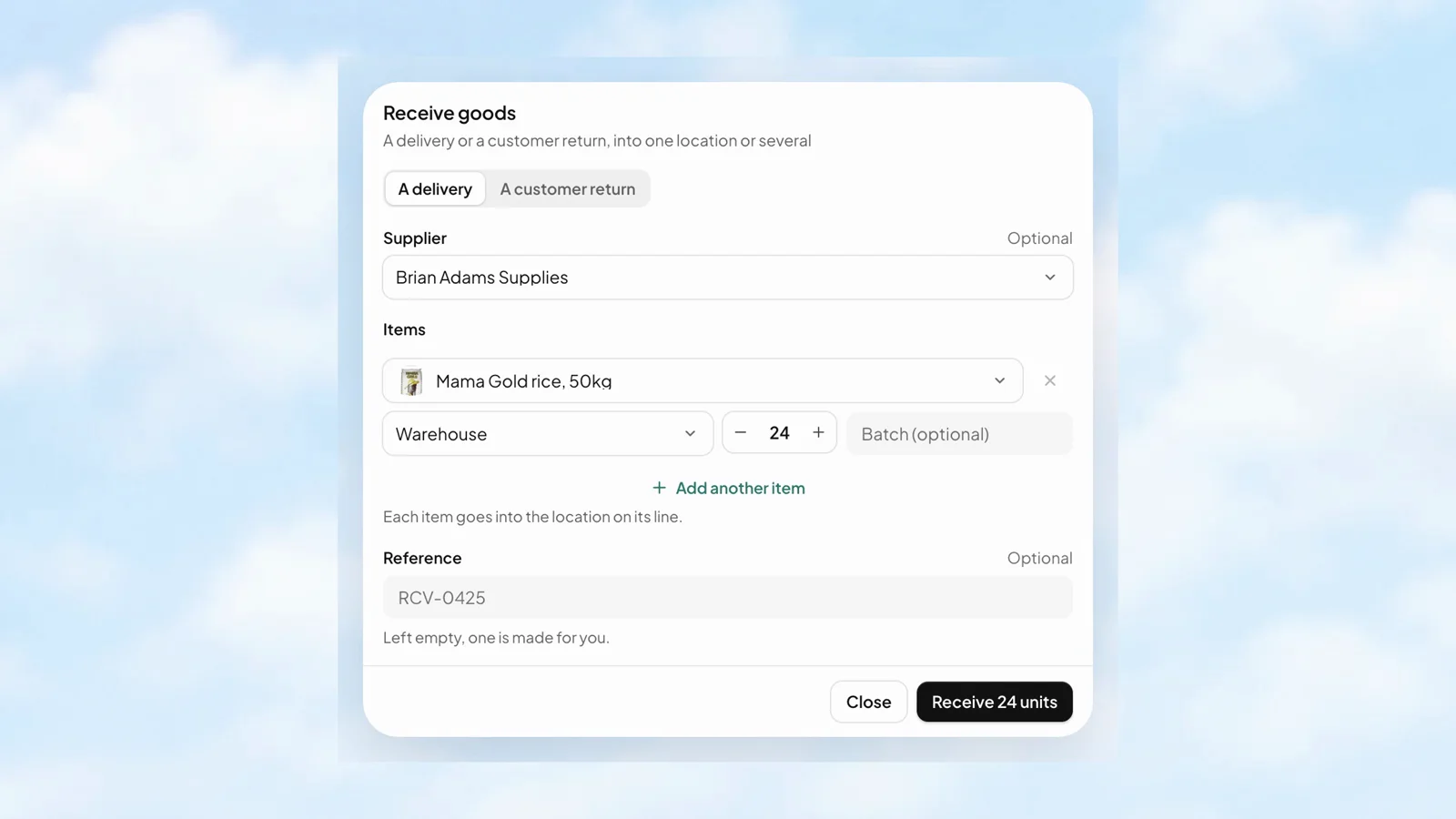
New delivery? Put it in the right place.
Receive a delivery or a customer return into the location on each line. Choose the item, quantity, supplier, and optional batch details, so the stock record starts with the goods that actually arrived.
- Receive more than one item in a single form.
- Choose the destination for each line.
- Add a reference, or let the app make one.
 Stohb Inventory
See the stockroom before you walk into it.
An overview puts units on hand, items needing attention, goods received, and units sold in one place. See the recent movements, then go straight to the work that needs doing.
- Spot low and out-of-stock items.
- Review what is going out each day.
- Check the latest movements and their locations.
Stohb Inventory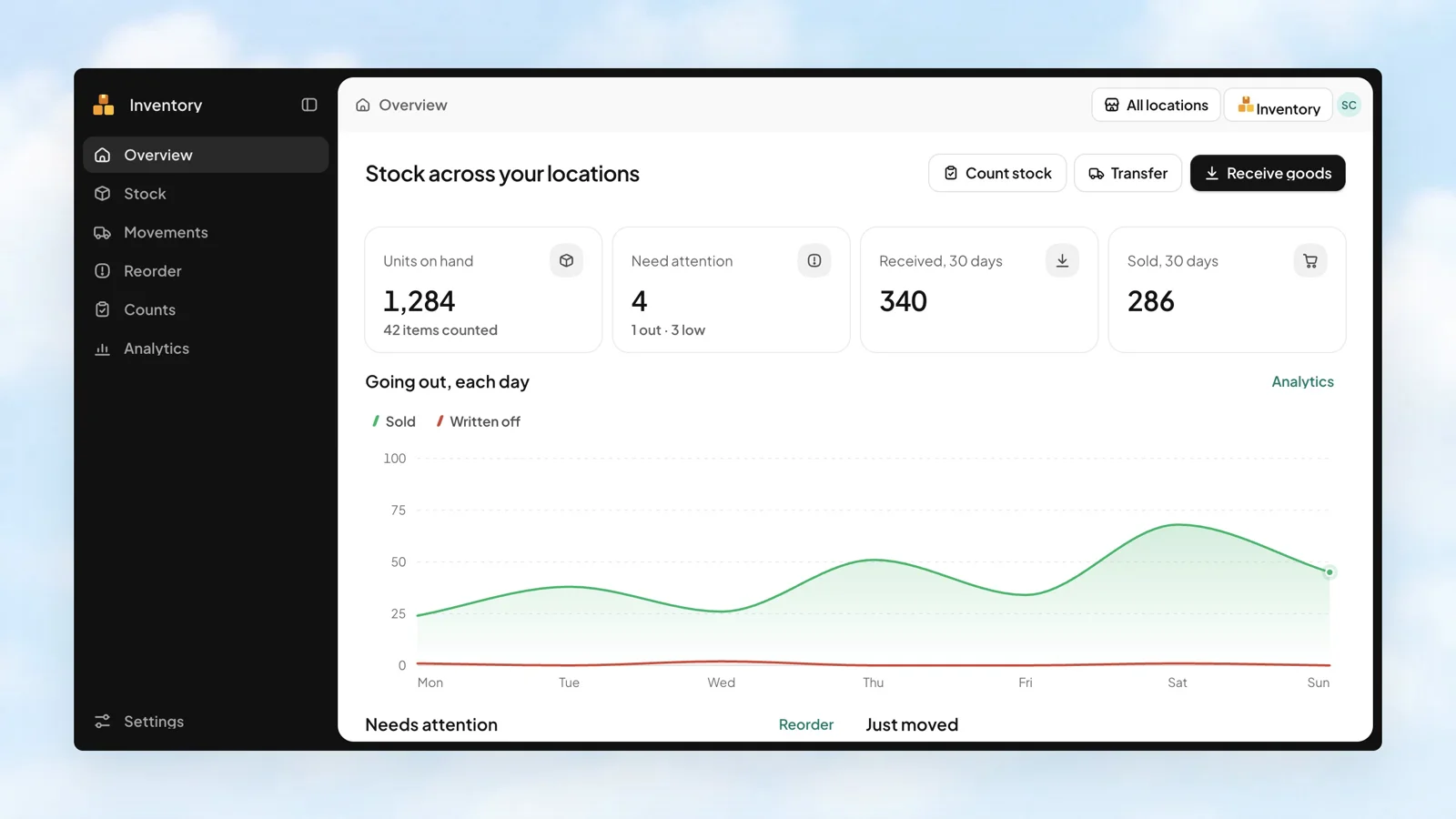
The day was busy. See what it added up to.
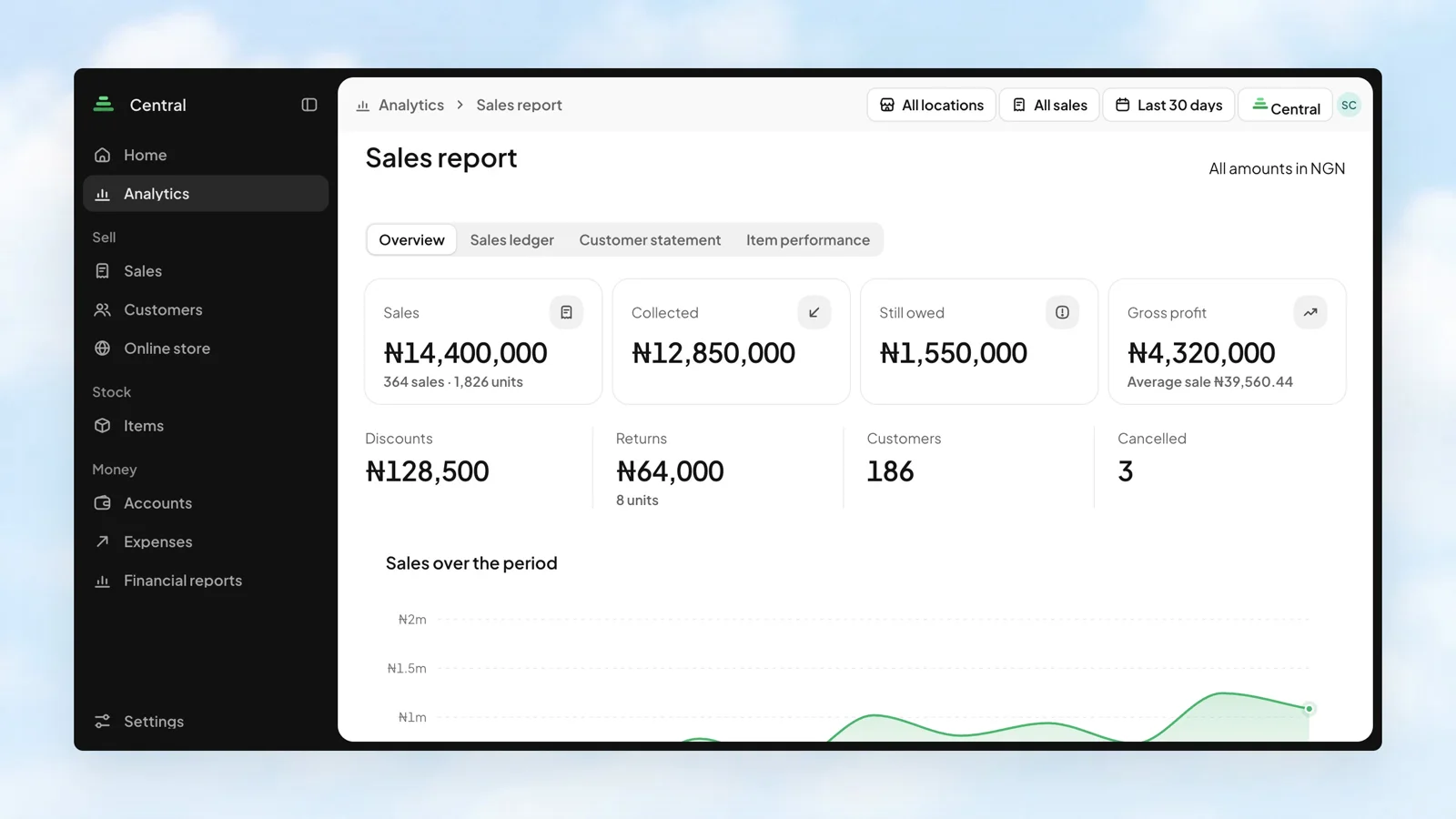
Sales tell one part of the story. Money collected, balances still owed, and gross profit tell the rest. Bring them together in the Sales report, then look at the channels and customers behind the numbers.
- Compare sales from POS, Invoice, Sites, and Central.
- Choose a location, sales source, and reporting period.
- Move from the overview to the ledger, customer statement, or item performance.
 Stohb Central
The connected tools
behind the work.
Can the shop and warehouse have separate stock counts?
Yes. Inventory tracks quantities by location, and transfers record stock moving between them.
Can I give cashiers access without opening all my apps?
Yes. In Workspace, choose which apps each member can open. POS cashiers use their own access.
Can I also sell online?
Yes. Sites gives you an online store using the business’s shared catalogue, with availability organised around your locations.
Less busywork.
More business.
Start with the app you need. Make room for what comes next.
Open an account