A transfer with both sides
Move stock from the warehouse to the shop with a clear record of where it came from and where it went.
 Stohb Inventory
Know what is available at the shop, in the warehouse, and at your next location. Receive goods, move stock, and keep a clear record of every change.
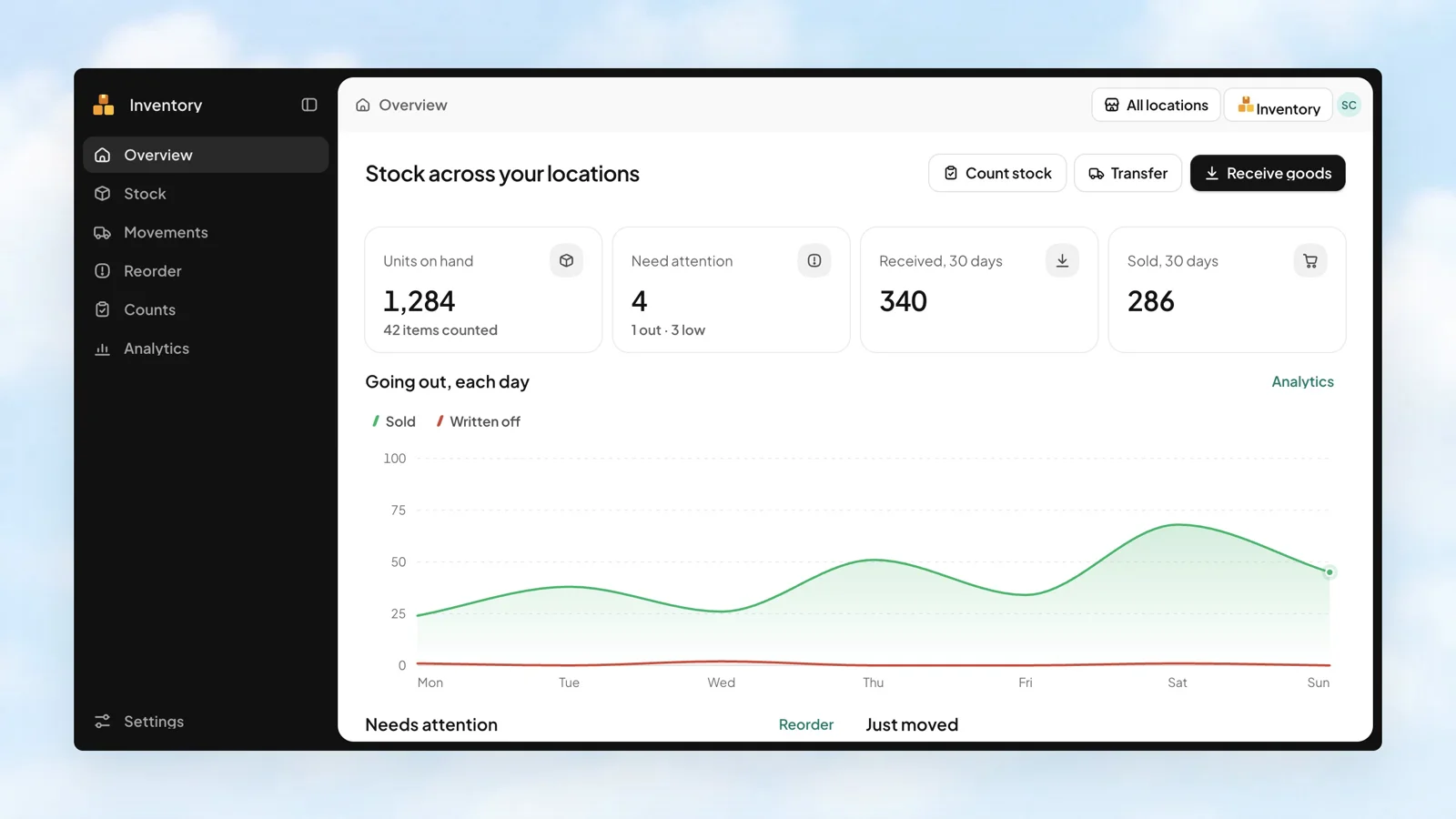
See stock where it actually is.
Keep sizes and colours accounted for.
Bring in the item list you already have.
Receive a delivery or a customer return into the location on each line. Choose the item, quantity, supplier, and optional batch details, so the stock record starts with the goods that actually arrived.
Stohb Inventory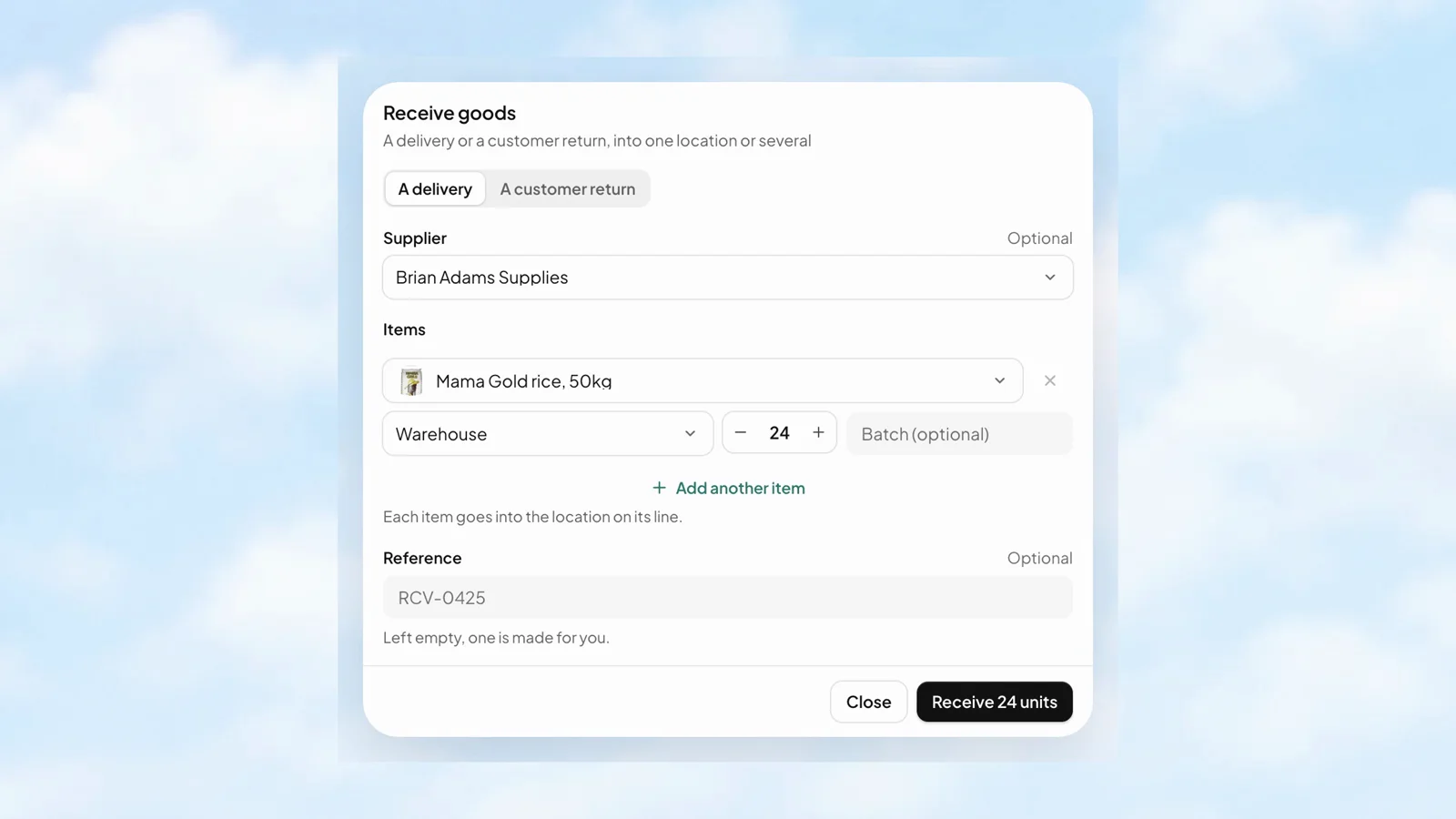
Each transfer line has its own From, To, and quantity. Send goods from the warehouse to a shop, or move them between branches, while keeping the movement in the business records.
Stohb Inventory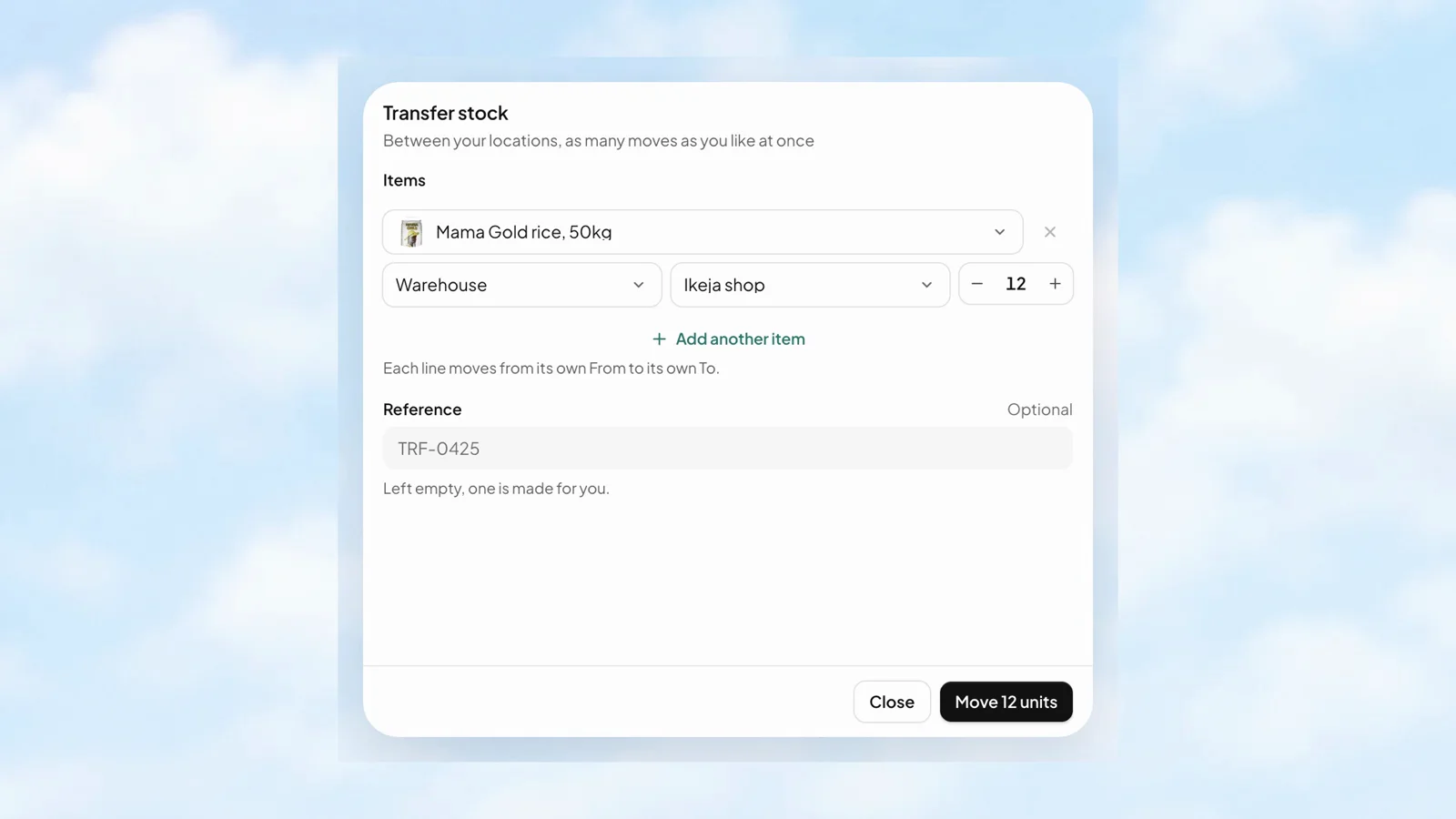
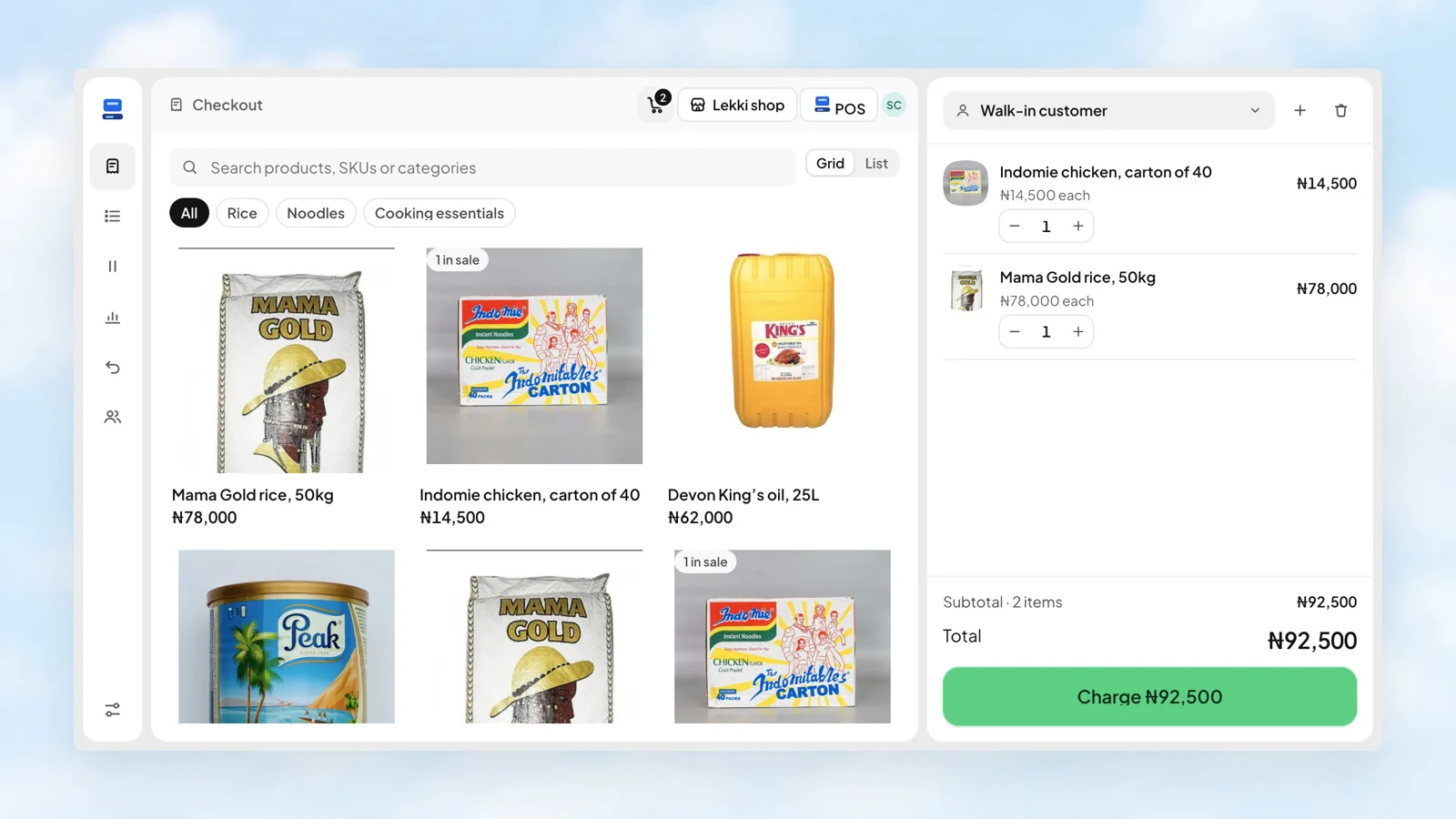
Find the item by name or barcode, choose its variant, and add the quantity. The catalogue keeps product photos and prices close to hand, while the cart gives the cashier a clear view of the sale.
 Stohb POS
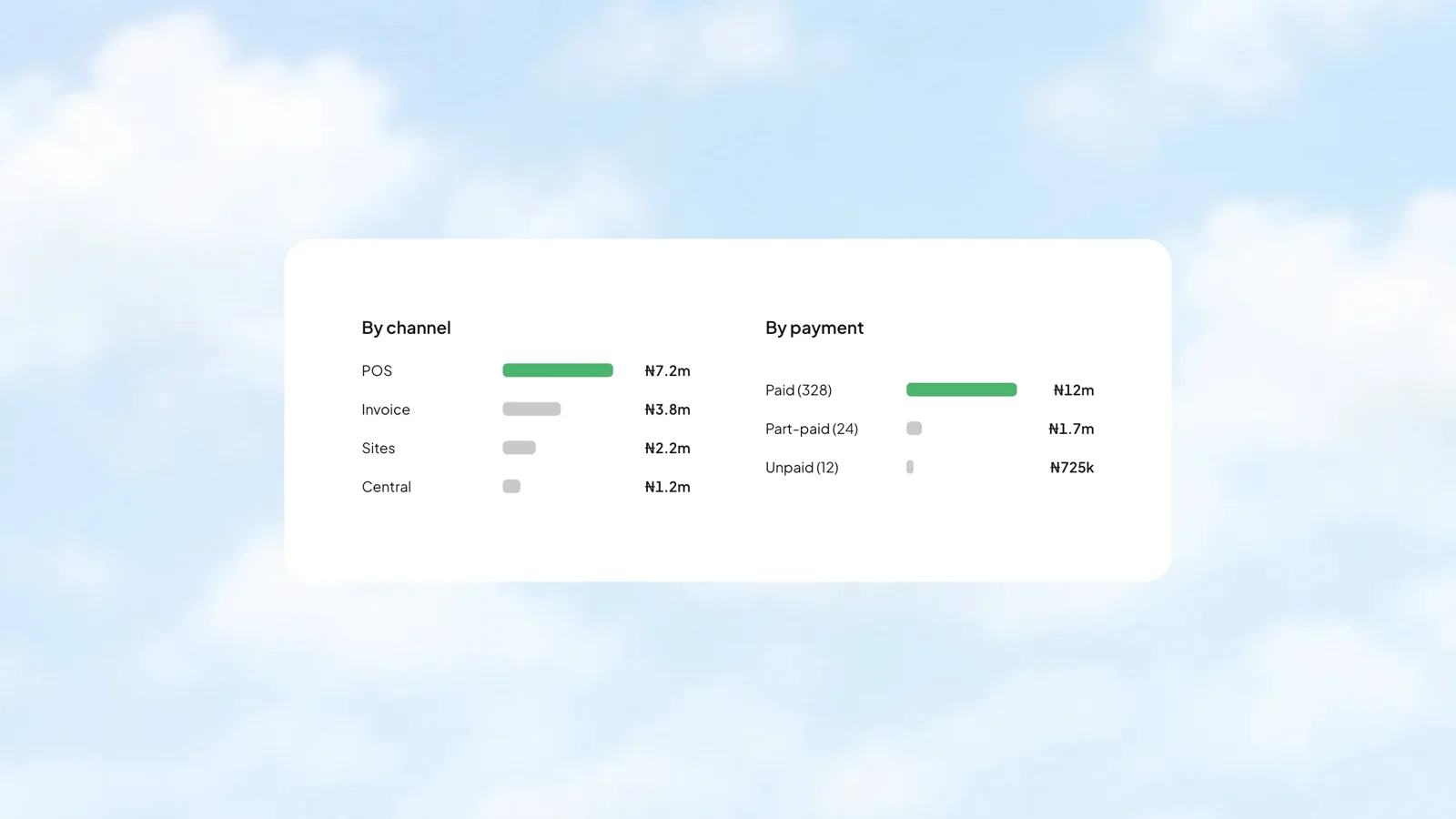
Your counter and your website do different jobs. Compare their sales side by side, and see how much is paid, part-paid, or still unpaid. The breakdown belongs to the same reporting period as your totals.
 Stohb Central
Move stock from the warehouse to the shop with a clear record of where it came from and where it went.
A blue medium shirt is different from a blue large shirt. Keep the stock count specific to what your customer wants.
Assign the right locations to each member. Store managers can work with stock while prices remain restricted to admins.
More about Inventory, how it works, and where to start.
Talk to our teamYes. Stohb Inventory keeps stock quantities by location and supports transfers between locations, so you can follow what is in the shop and what is in the warehouse.
Yes. You can import items and pictures from a spreadsheet. The item catalogue is shared with the other Stohb apps.
Yes. Staff access is limited to their assigned locations. Prices are shown to admins only.
Start with the app you need. Make room for what comes next.
Open an account