What you’ll do in Stohb
- Understand the costs behind your selling price.
- Set cost and selling prices in Stohb.
- Review the item’s performance in Central.
Follow the screens using your own business details. The screenshots were captured in the actual Stohb apps with local guide examples. Prices, customers and results shown are illustrative.
Set and review prices in Stohb Central
Work out the costs in the example below before entering a price. The guide item uses ₦10,000 selling price and ₦6,700 recorded unit cost.
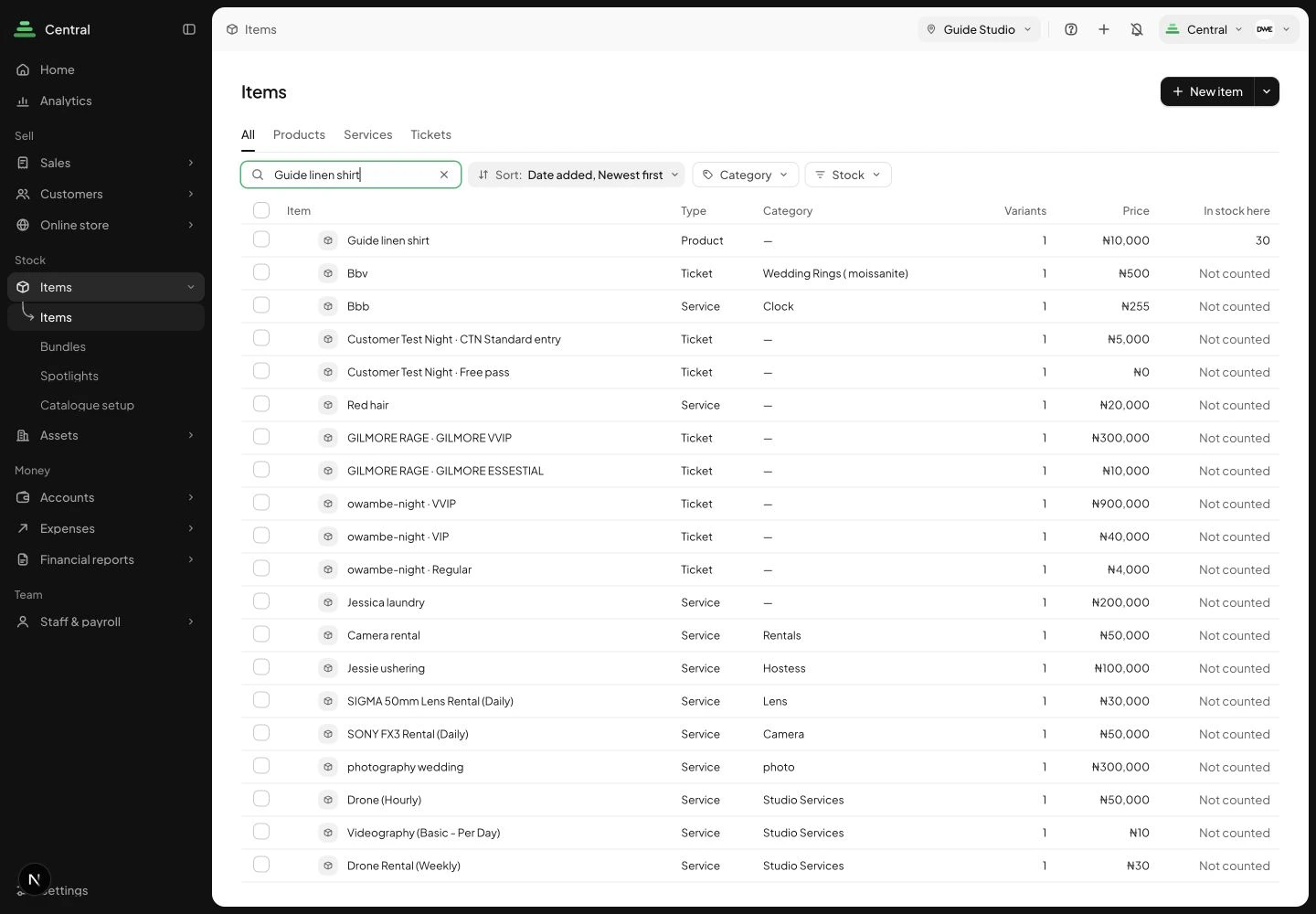
1. Find the item you want to price
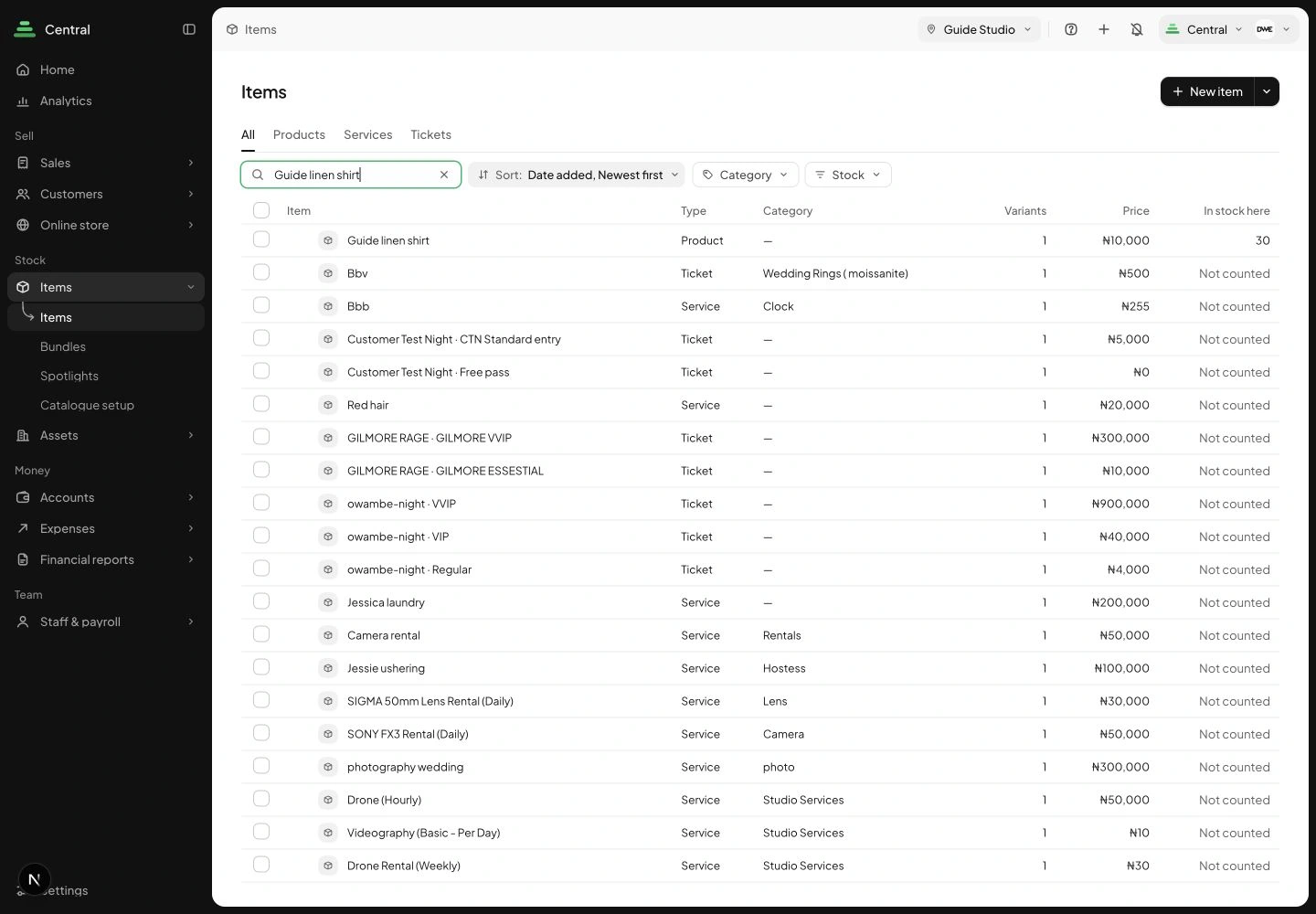
Open Items in Central and search by name or SKU. Open the exact product rather than a similar row. Check the location and, where relevant, its size or colour. Stohb’s item page gives you a place to review the product before changing how it sells.
 Enlarge screenshot
Find the guide product from the Central item catalogue. Check the result: You are editing the intended catalogue item.
2. Edit cost and selling prices together
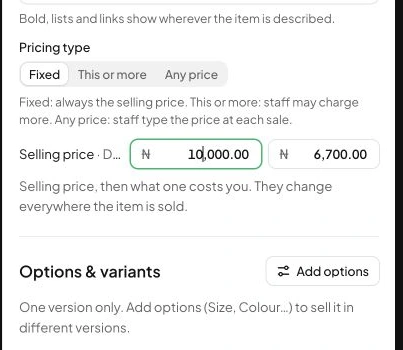
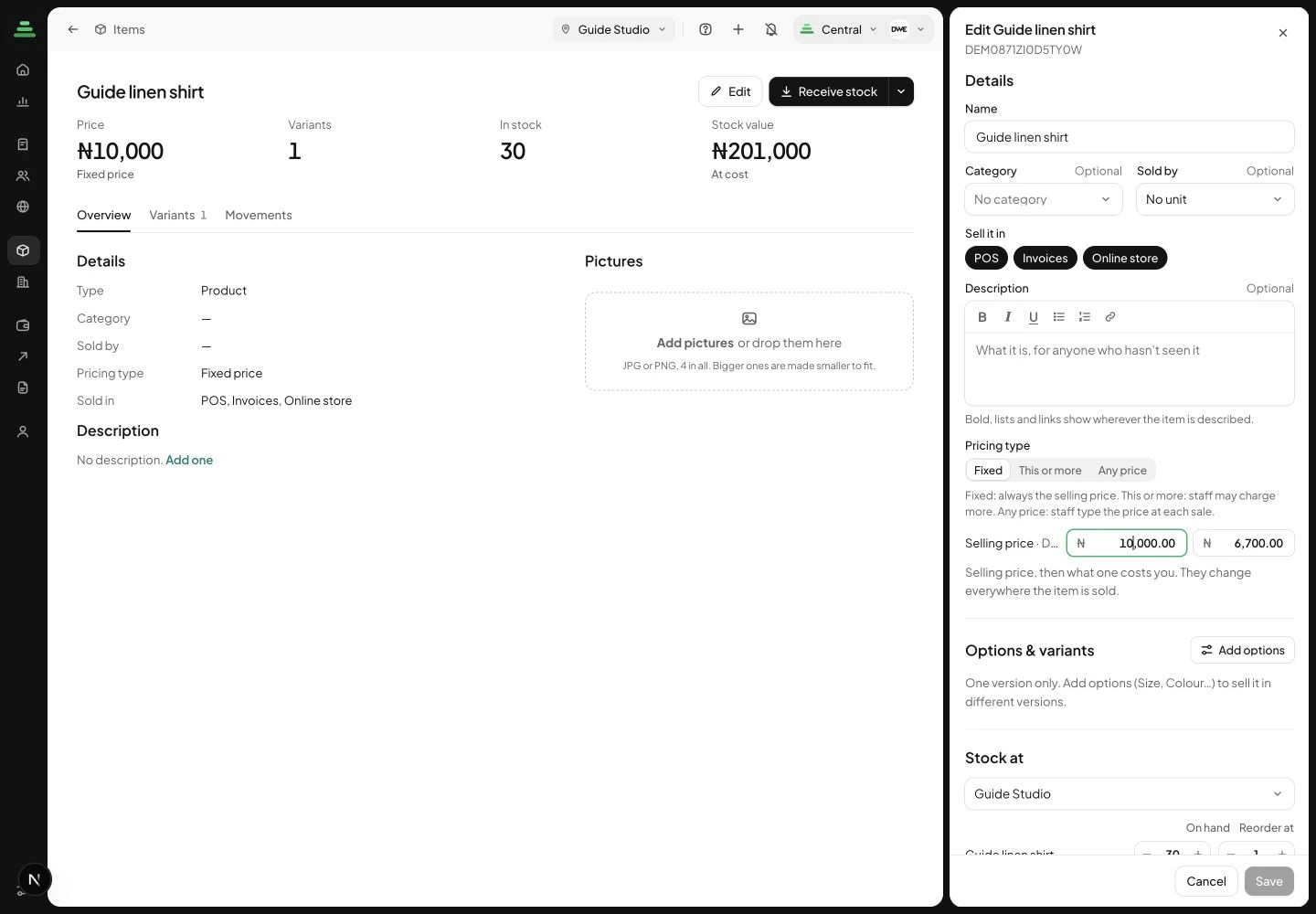
Choose Edit. In the item panel, review Selling price and Cost price. The example shows ₦10,000 and ₦6,700. Cost price is not the amount the buyer pays. Use a consistent cost treatment and keep extra order or running costs in mind when interpreting the difference. Review the fields, then Save when you intend to apply the change.
 Enlarge screenshot
The actual Central item editor with selling and cost prices visible. Check the result: The catalogue has the intended selling price and recorded unit cost.
3. Review what the item contributed
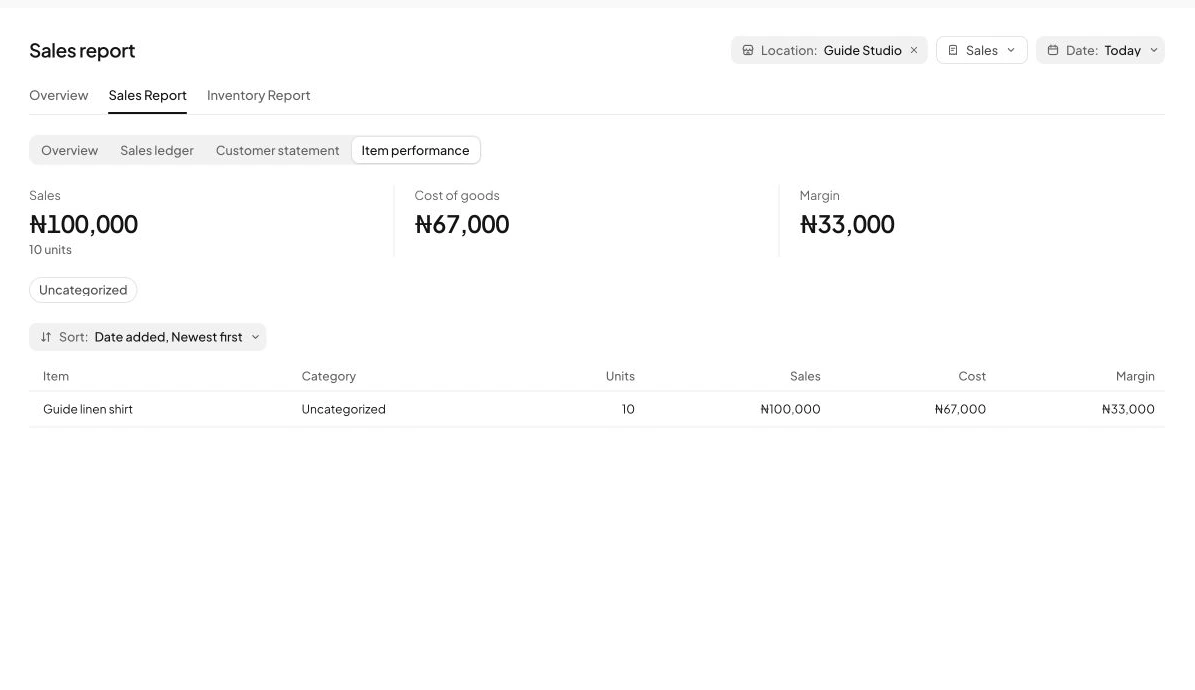
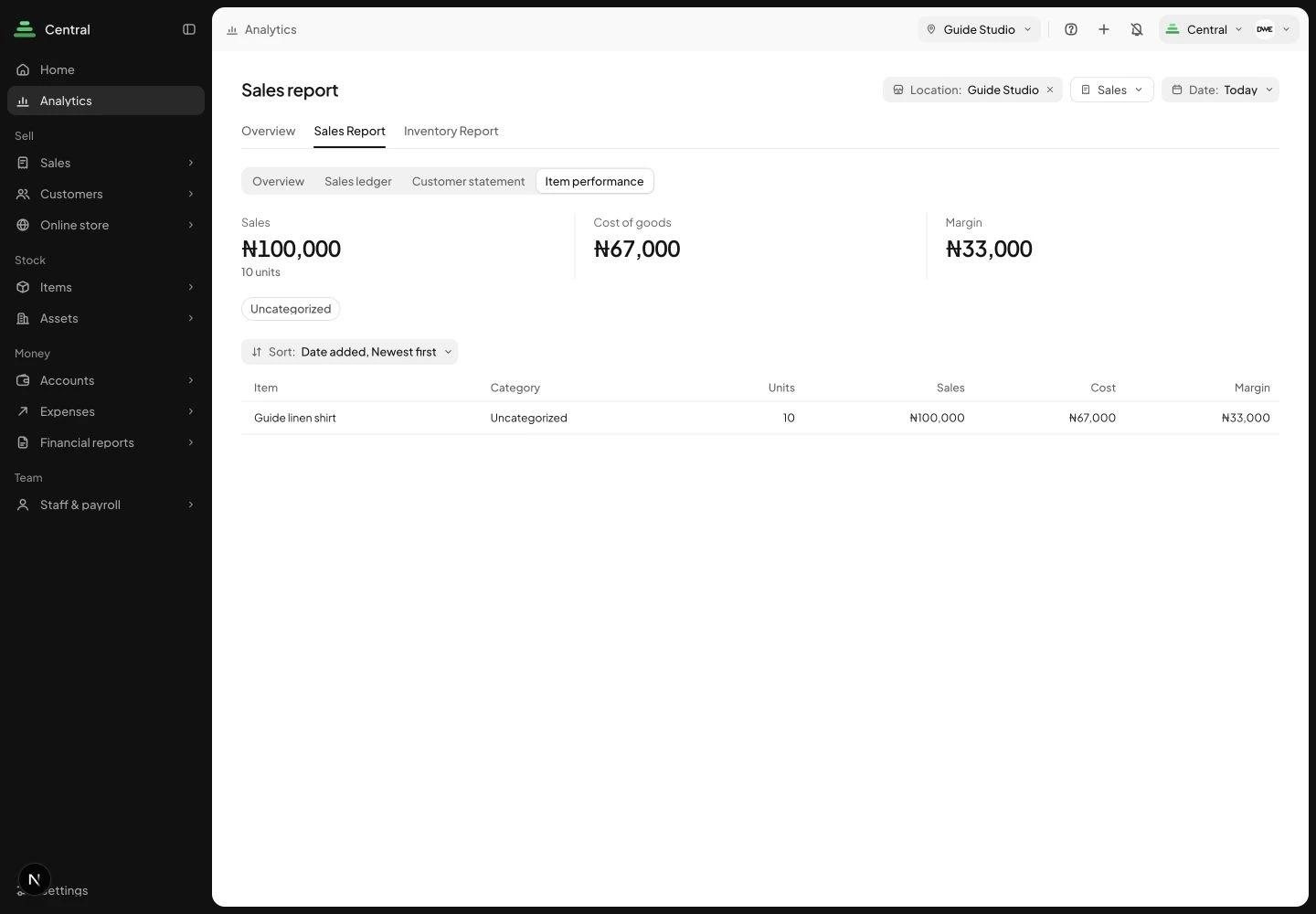
Open Analytics, Sales Report and Item performance. Set the report’s own location and date filters. Our completed example sold 10 units for ₦100,000, with ₦67,000 cost of goods and ₦33,000 margin. That is before other business expenses. Stohb makes the recorded result visible, but the meaning still depends on accurate costs and completed stock activity.
 Enlarge screenshot
Item performance for the controlled guide sale. Check the result: You can compare the price decision with recorded sales and goods cost.
Set a product’s starting prices in Stohb Inventory
Use this route when you are creating stock in Inventory rather than working from Central’s item editor.
1. Enter prices while creating the stock item
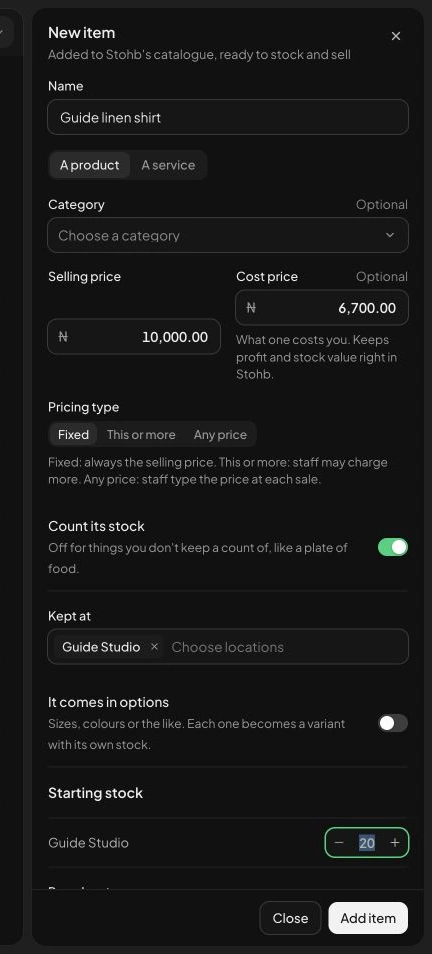
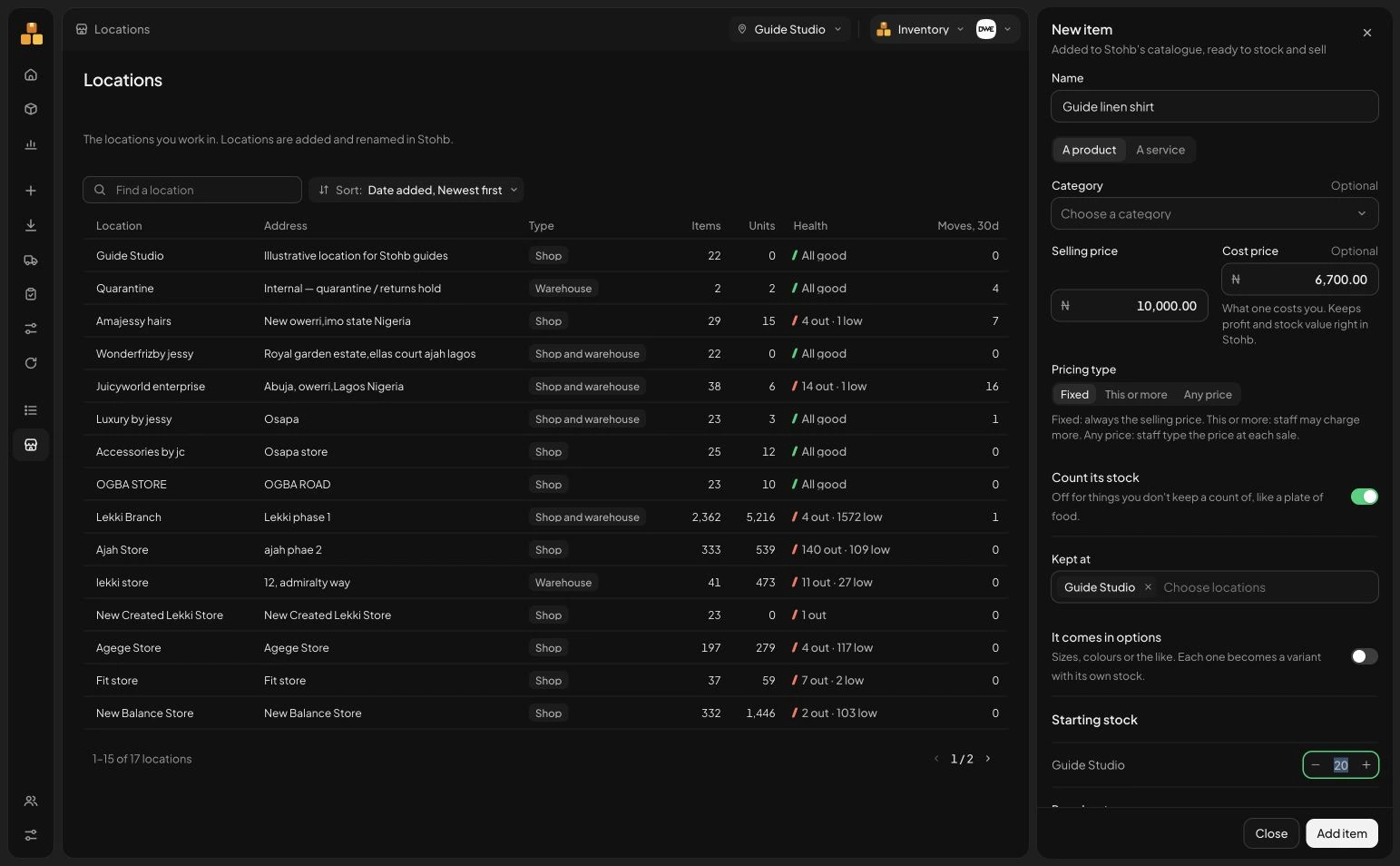
Choose New item in Inventory. Enter Selling price and Cost price alongside the Name and location. The same guide example uses ₦10,000 and ₦6,700. Check Count its stock, Kept at and the opening quantity before Add item. This lets the stock setup begin with the pricing information the business needs, without keeping a disconnected price list.
 Enlarge screenshot
Inventory’s New item form also contains the selling and cost prices. Check the result: The stock item is created with checked quantities and prices.
Understand the decisions behind the steps
The app keeps the record useful. These explanations help you decide what to enter and how to interpret what Stohb shows.
Begin with the cost of a sellable unit
Write down what it takes to obtain one usable unit. Start with the supplier price and identify other costs needed to bring the goods to the point where you can sell them. Keep the calculation consistent and label any estimates.
If delivery from the supplier covers several units, allocate it on a reasonable basis. Equal allocation can work for similar products; it may be misleading if one item is much heavier or more expensive to transport. Damaged or unsellable units also need attention rather than silently assuming every purchased unit will generate a sale.
Add the costs of fulfilling an order
Packaging and a delivery subsidy can reduce the amount left from a sale. List the costs your business pays each time it fulfils an order. Keep them distinct from charges the customer pays separately so you do not count the same amount twice.
For an illustrative shirt, suppose the product costs ₦6,000, allocated inbound delivery is ₦400 and packaging is ₦300. Those stated direct costs total ₦6,700. If there are other relevant per-sale costs, add them before treating the remainder as available to cover running costs.
Remember the costs of running the business
Rent, data, salaries and other operating costs may not belong to a single product sale, but the business still needs to cover them. A product can leave money after its direct costs while the overall business remains unprofitable.
Use a reasonable planning allowance when deciding whether prices can support the business. Treat it as an estimate, review it against actual activity and avoid counting the same overhead in several different places. A qualified accountant can help you choose a treatment suited to your records.
Understand markup and margin
At a ₦10,000 selling price and ₦6,700 stated direct cost, ₦3,300 remains before other costs. Relative to the selling price, that is 33%. Relative to the stated cost, the increase is about 49.3%. The same amounts produce different percentages because the denominators differ.
Markup divides the increase by cost. Margin divides the relevant profit figure by sales. Be precise about which costs are included before calling a number gross margin or net margin. In this example, the ₦3,300 is a contribution before overhead and any other excluded costs, not guaranteed final profit.
Test the effect of a discount
A 10% discount on the ₦10,000 price reduces it to ₦9,000. With the same ₦6,700 stated direct cost, the remaining contribution falls to ₦2,300. The discount takes ₦1,000 from the amount available to cover other costs.
Do this calculation before publishing an offer. Check whether extra packaging, delivery support or returns could further change the result. A promotion can increase orders while reducing the total money left if the economics are not checked.
Review the price when conditions change
Keep a dated record of supplier costs and selling prices. Recheck the calculation when a supplier changes prices, packaging becomes more expensive or your delivery arrangement changes. Old cost figures can make a current sale look healthier than it is.
Use your catalogue and item reports in Central as part of the review, while checking what each report includes. Combine the numbers with customer demand and the product’s value. Pricing is a decision made with evidence, not a formula that guarantees customers will buy.
Before you move on
- List the costs included and excluded.
- Allocate shared costs consistently.
- Calculate the money left at full price and sale price.
- Review actual results rather than treating an estimate as final profit.
A few useful answers
Is markup the same as margin?
No. Markup uses cost as the denominator; margin uses sales. State which costs and profit measure you mean.
Should delivery be included in the product price?
It depends on your offer. Make the customer’s charge clear and include any delivery amount your business absorbs in the economics of the sale.