What you’ll do in Stohb
- Create a stock item with the right location.
- Keep opening quantities and variants clear.
- Use the correct record when stock changes.
Follow the screens using your own business details. The screenshots were captured in the actual Stohb apps with local guide examples. Prices, customers and results shown are illustrative.
Set up and maintain stock in Stohb Inventory
Count the physical goods first and choose the location where they are kept. The example starts with 20 Guide linen shirts at Guide Studio.
1. Create the item at the right location
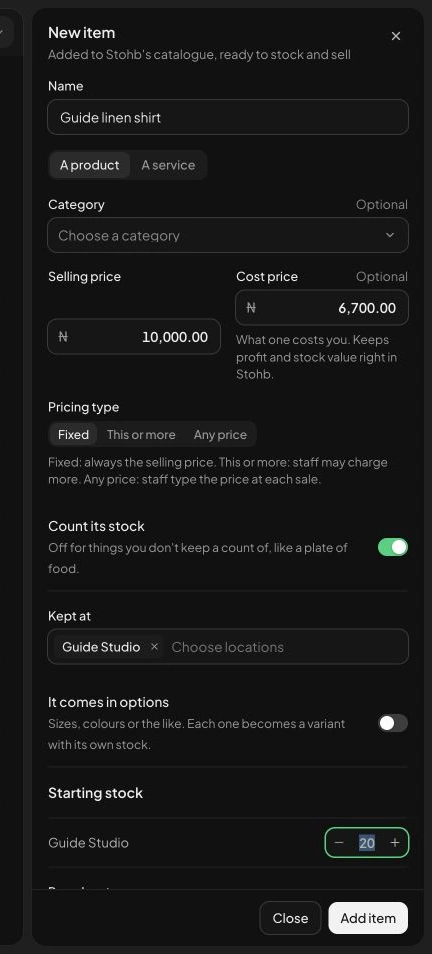
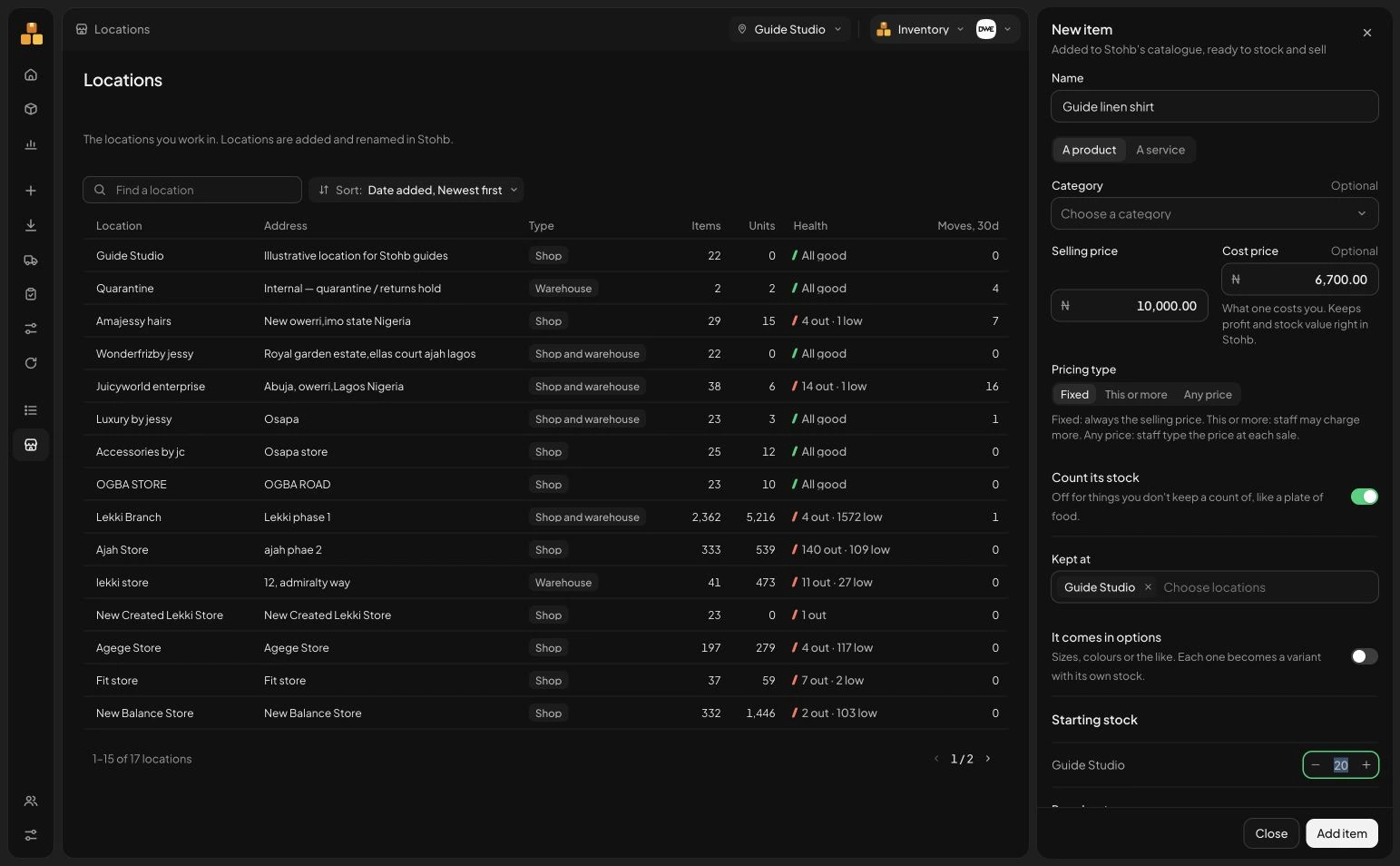
Select the location at the top, then New item. Enter the Name, Selling price and Cost price. Keep Count its stock on for goods you need to count, and check Kept at. Add an opening quantity only after counting the actual goods. Our example uses 20 units; the cost and selling prices also help the business interpret later reports.
 Enlarge screenshot
New item with the example prices, location and opening quantity. Check the result: The catalogue record identifies the product and the location where its stock belongs.
2. Check the saved stock record
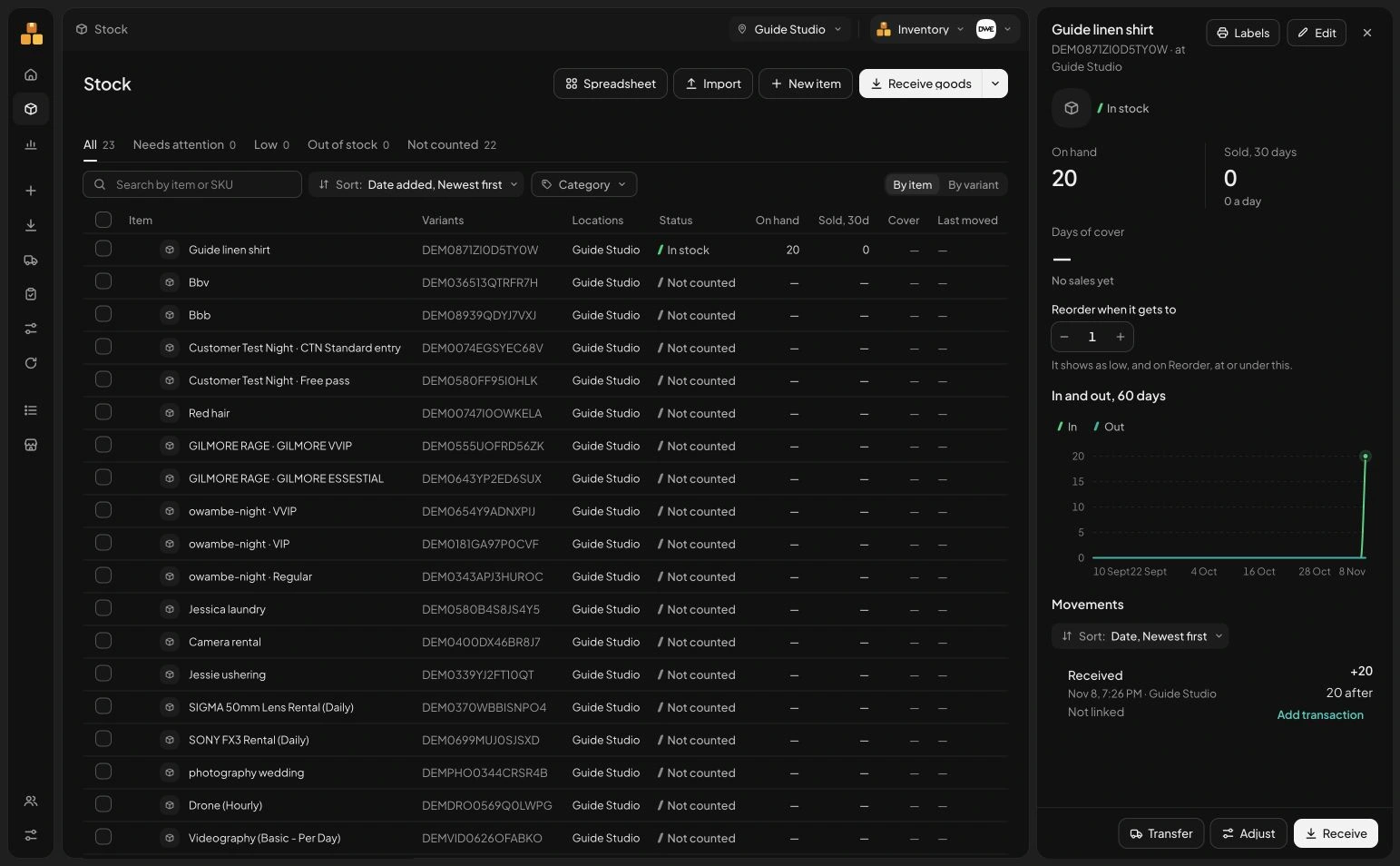
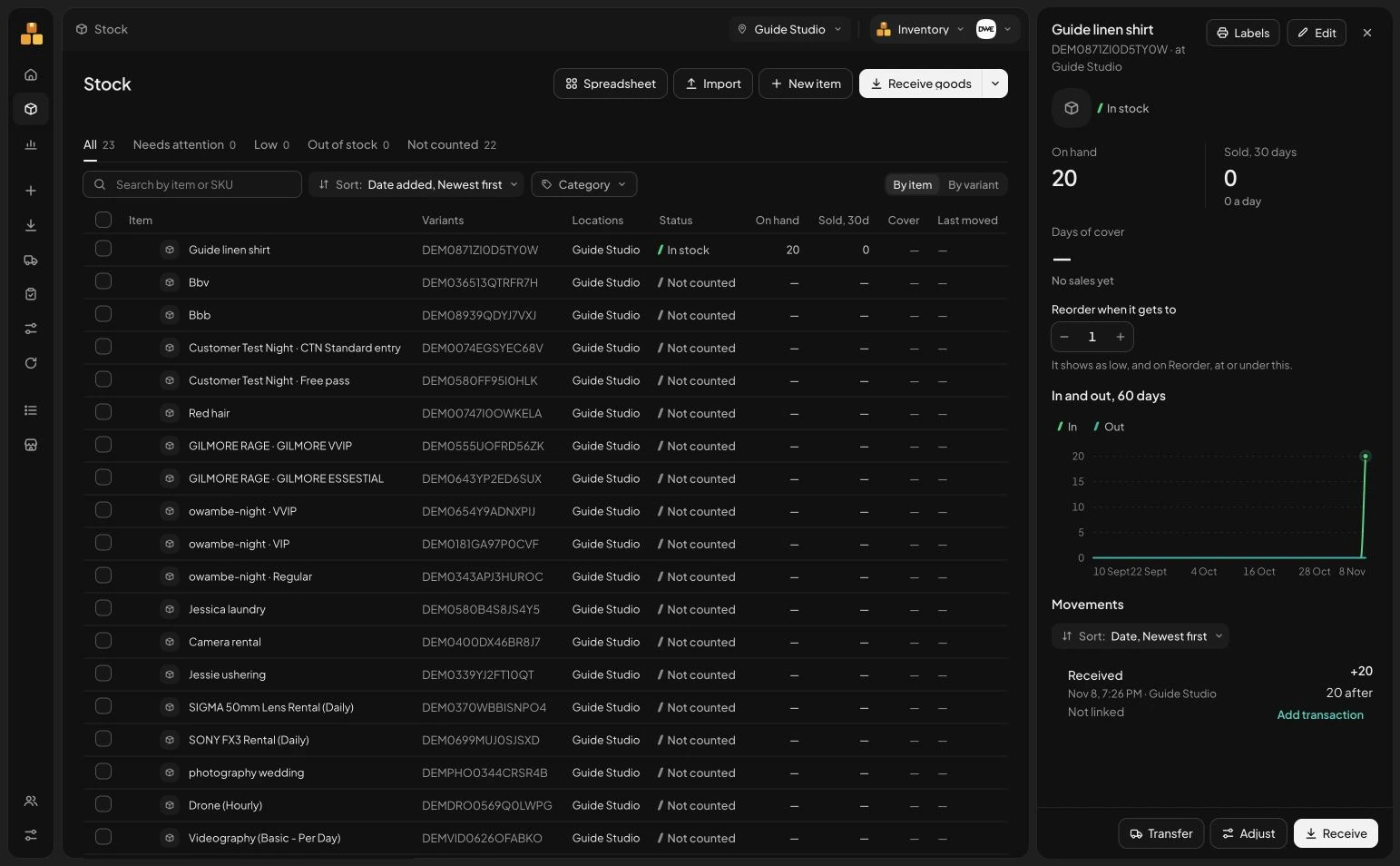
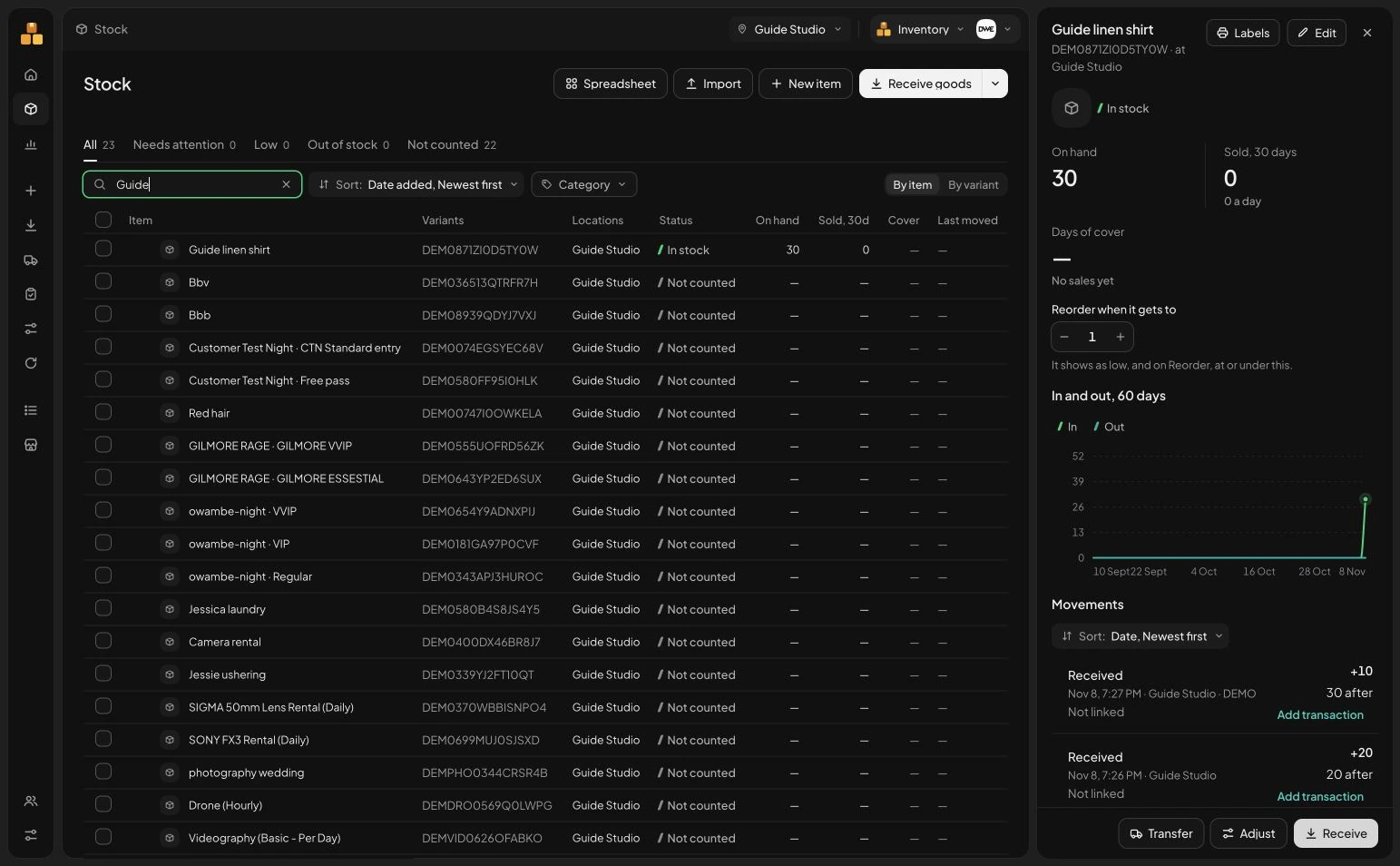
After Add item, inspect the item’s record. Check its quantity and movement history. When you return to Stock, search by item or SKU to find it again. Stohb keeps the item, its location and stock activity together, so a question about availability has a record behind the answer.
 Enlarge screenshot
The saved guide item and its stock-movement context. Check the result: The opening count is recorded against the intended item and location.
3. Receive the goods that actually arrived
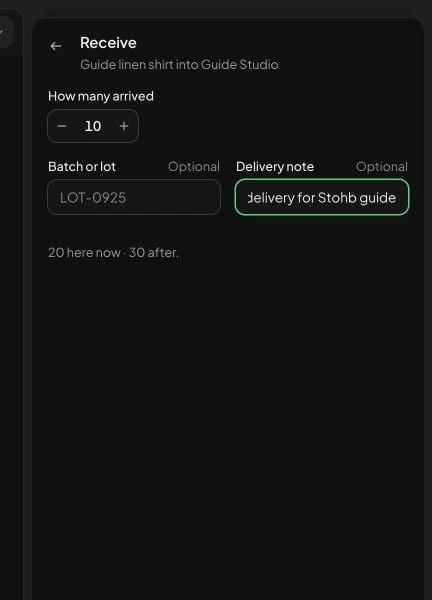
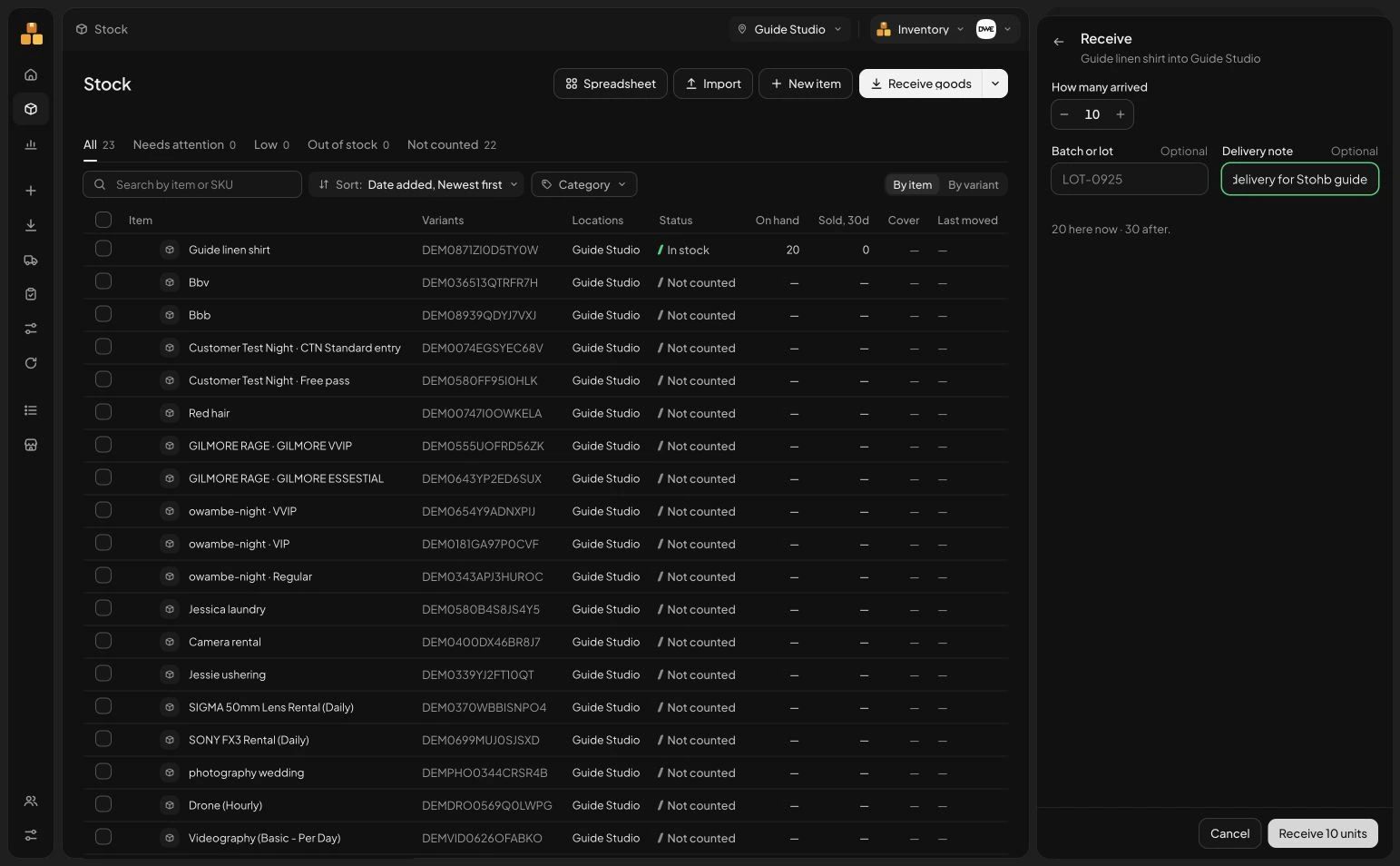
Use Receive from the item or Receive goods from the navigation. Enter How many arrived, plus a batch or delivery note where useful. The example receives 10 more units and shows 20 here now, 30 after. Check the predicted result before confirming Receive. Record accepted goods rather than the quantity you hoped the supplier would deliver.
 Enlarge screenshot
The Receive panel explains the quantity before and after the example delivery. Check the result: The accepted delivery has a recorded movement and an updated stock quantity.
4. Keep each later change explainable
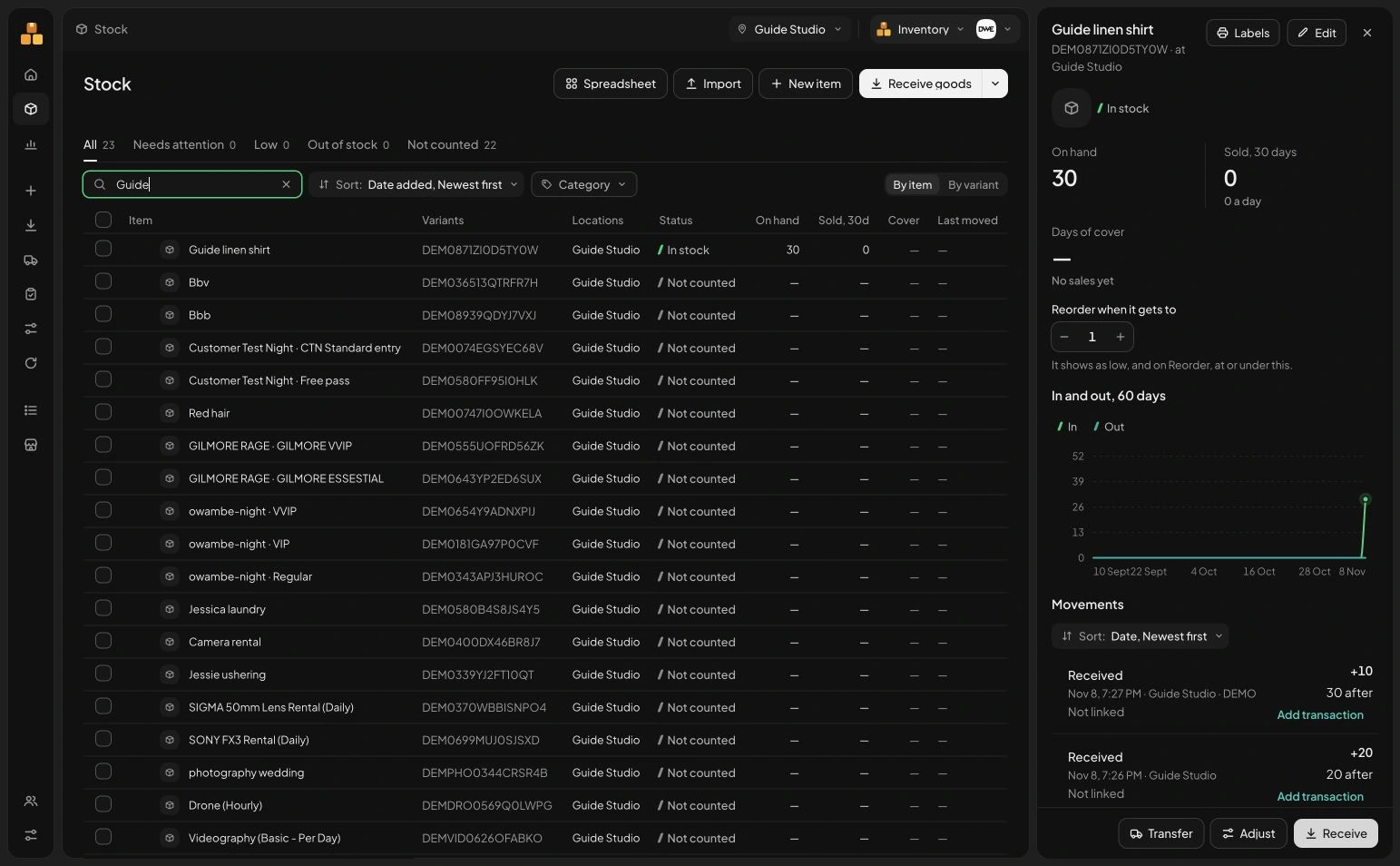
Use Stock to review the quantity and Movements to investigate the activity behind it. Choose Transfer stock when goods move between locations and Adjust stock when an explained correction is appropriate. A transfer should change where stock is held; it should not create extra business-wide stock. Review the specific form and recount discrepancies before applying a correction.
 Enlarge screenshot
The real Stock screen used to find the guide items. Check the result: You can find the stock record and choose the right next action for a movement.
Understand the decisions behind the steps
The app keeps the record useful. These explanations help you decide what to enter and how to interpret what Stohb shows.
Start with five useful terms
An item is a product in your catalogue. A variant is a sellable version, such as a black shirt in medium. A quantity tells you how many units are recorded. A location identifies where those units belong. A movement explains why a quantity changed.
Those distinctions matter even in a small shop. A total of 40 shirts does not answer whether you have the black medium shirt a customer wants. The record needs enough detail to answer the actual selling question.
Create a reliable opening count
Choose a counting time and work through the physical goods in a fixed order. Separate variants and locations. Check whether a box contains single units or packs and use one consistent unit when recording quantities. Separate damaged goods from usable stock.
If trading continues during the count, keep a record of goods sold, received or moved while you are counting. Otherwise, a sale can make a correct shelf count look wrong by the time you compare it with the system. Investigate differences before changing a number.
Keep the catalogue and quantities distinct
Use a clear catalogue entry for each product, with accurate options and stable identifiers. Then record quantities at the location where the stock actually sits. A second shop usually creates another location quantity, not a reason to invent an unrelated copy of the same product.
Stohb Inventory helps organise stock by item, variant and location. Begin with one location if that is what your business needs. Add detail because it answers a real question, rather than making the starting setup unnecessarily complicated.
Record the reason stock changed
Receiving records goods accepted into stock. A transfer moves goods between locations. A sale records goods sold. An adjustment corrects a quantity for a specific explained reason. Returns need the appropriate supported process and a check of the item’s condition before you assume it is ready to sell again.
Consider a simplified example: 20 usable shirts at the start, 10 received, 6 sold and 1 removed because it is damaged. The closing usable quantity is 23. This works only if there are no other movements in the period. Always state the assumptions when reconciling a count.
Separate reordering from guessing
A reorder level is a signal to consider buying again. Think about how many units sell while you wait for the supplier, plus a sensible buffer for uncertainty. The level is different from the quantity you decide to order.
If an item sells four units a day and takes five days to arrive, expected demand during the wait is 20 units. Adding an eight-unit buffer gives an illustrative reorder point of 28. Check demand and delivery history before using those figures for your own shop; they are not a universal rule.
Build a routine that keeps the count useful
Record receipts when goods are checked, transfers when stock moves and sales through the appropriate selling process. Review exceptions while the details are still fresh. A stock record becomes unreliable when real activity happens outside it for several days.
Schedule physical counts suited to your operation. Recount differences, check recent movements and record an explanation for any correction. Repeated adjustments are a reason to examine the process, not automatic proof of theft. The aim is a count that helps someone make a reliable promise to the next customer.
Before you move on
- Count by variant and location.
- Use consistent units and separate damaged goods.
- Explain every movement and check both ends of a transfer.
- Recount differences before applying a correction.
A few useful answers
Can I start with one shop?
Yes. Track the quantities and variants that matter at your current location and add locations when needed.
Does moving stock create more stock?
No. A completed transfer changes where goods are recorded. It should not increase the total quantity owned by the business.